


Mini portable thermal paper label printer barcode printers
Product Overview:
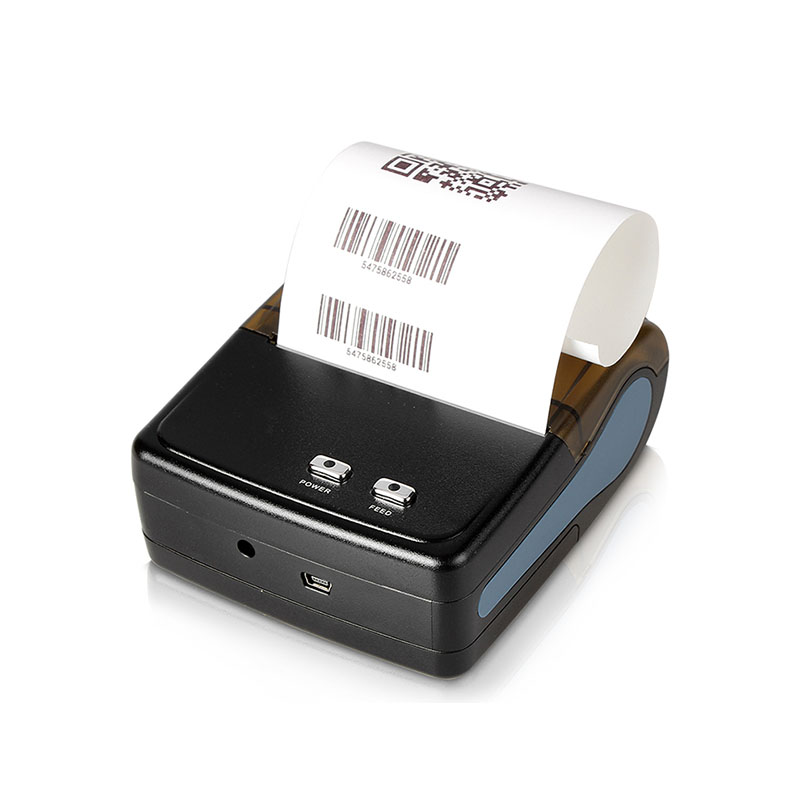
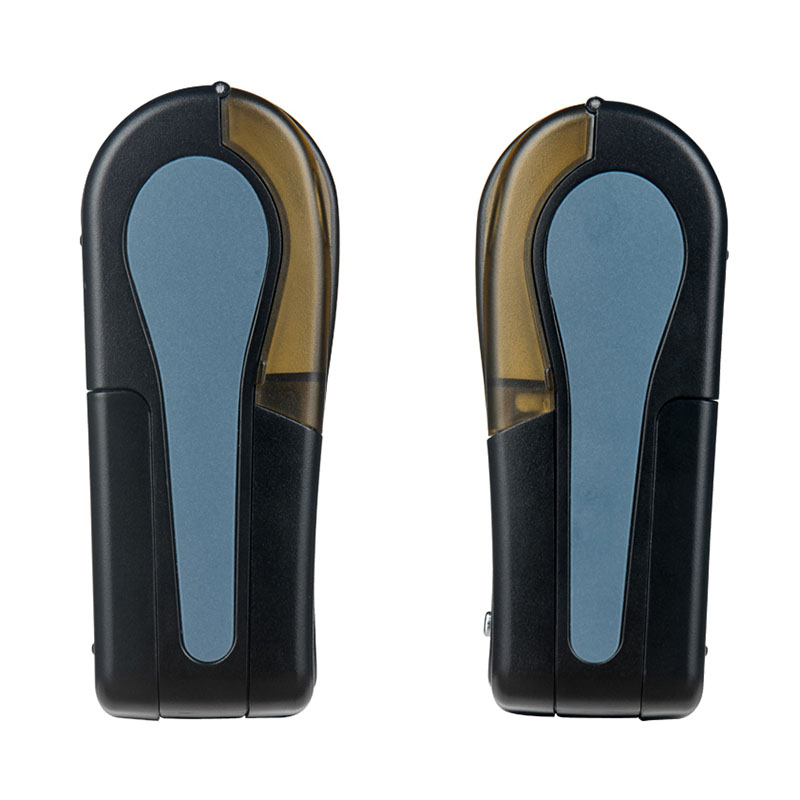
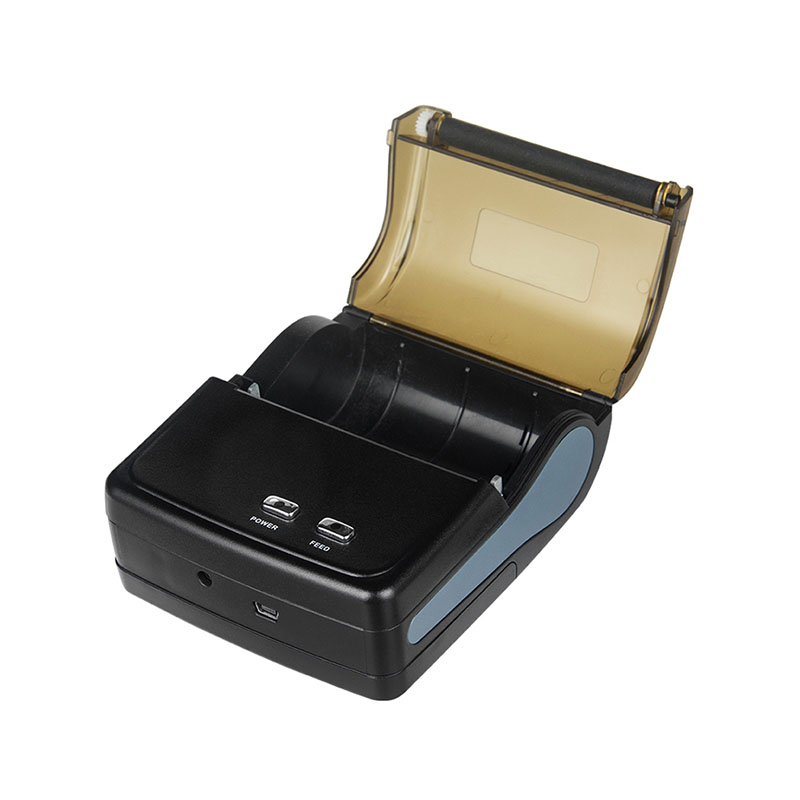
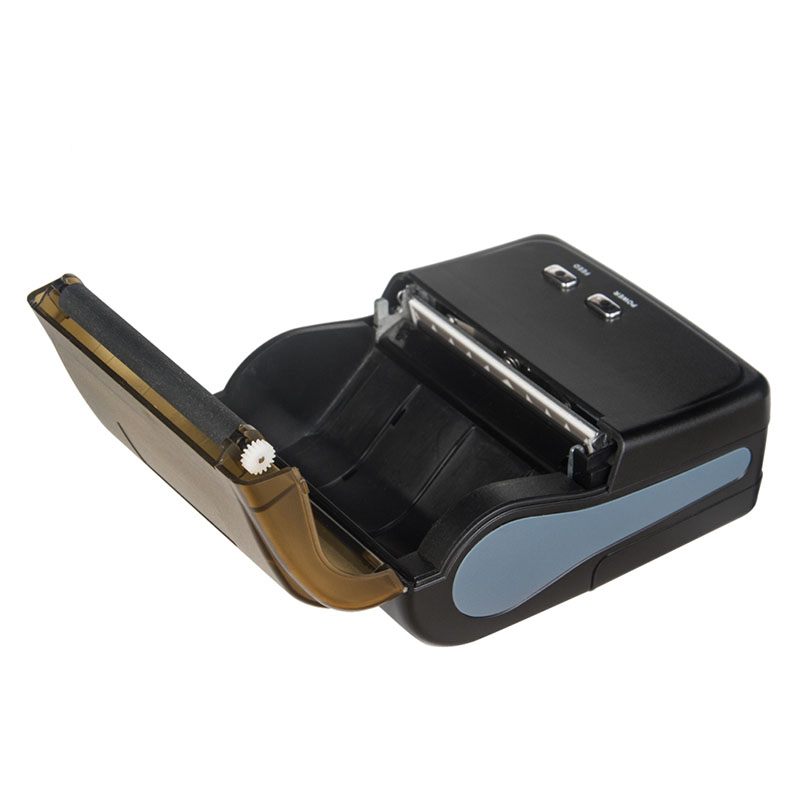
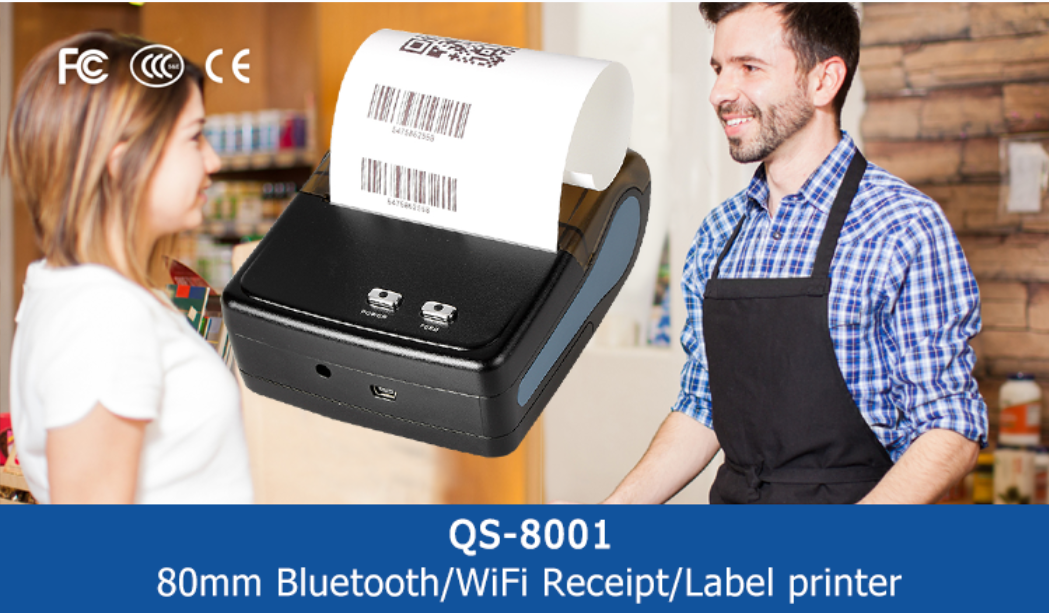
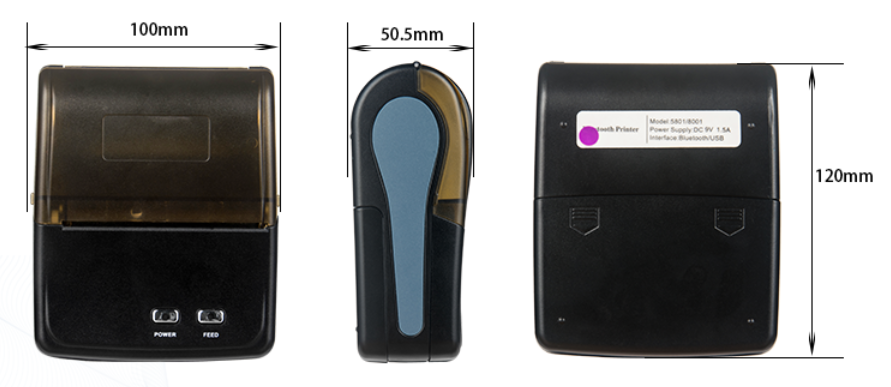
This portable mini thermal printer is developed for businesses that need to print receipts, bills, order information and supported barcode content in mobile or space-limited environments.
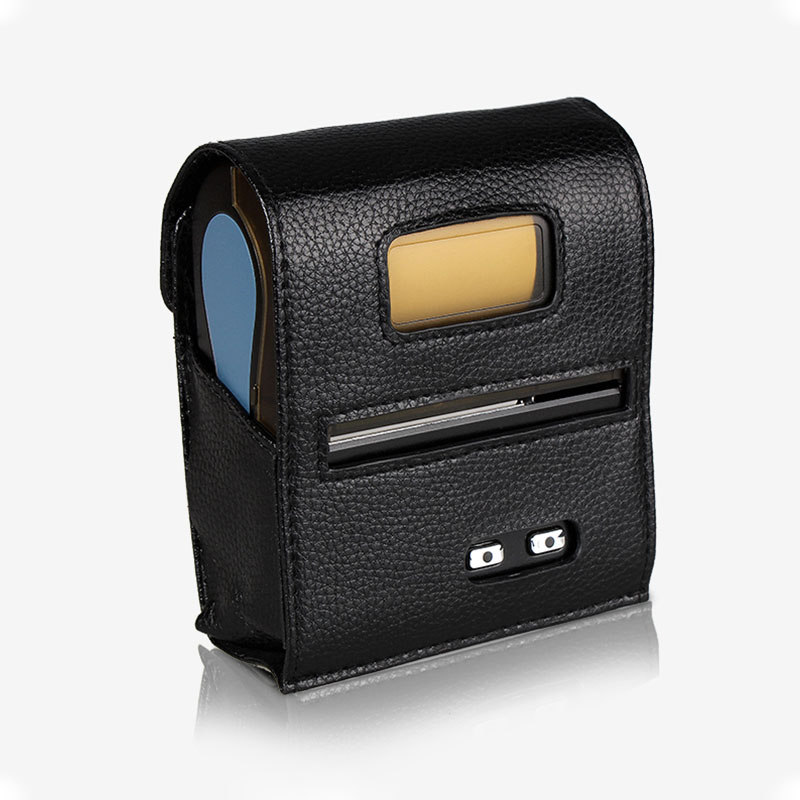
Unlike a fixed desktop printer, its compact body allows staff to carry the printer between tables, checkout points, delivery vehicles, service counters and temporary sales locations. Bluetooth connectivity reduces cable restrictions, while direct thermal technology eliminates the need for ink cartridges, toner or printing ribbons.
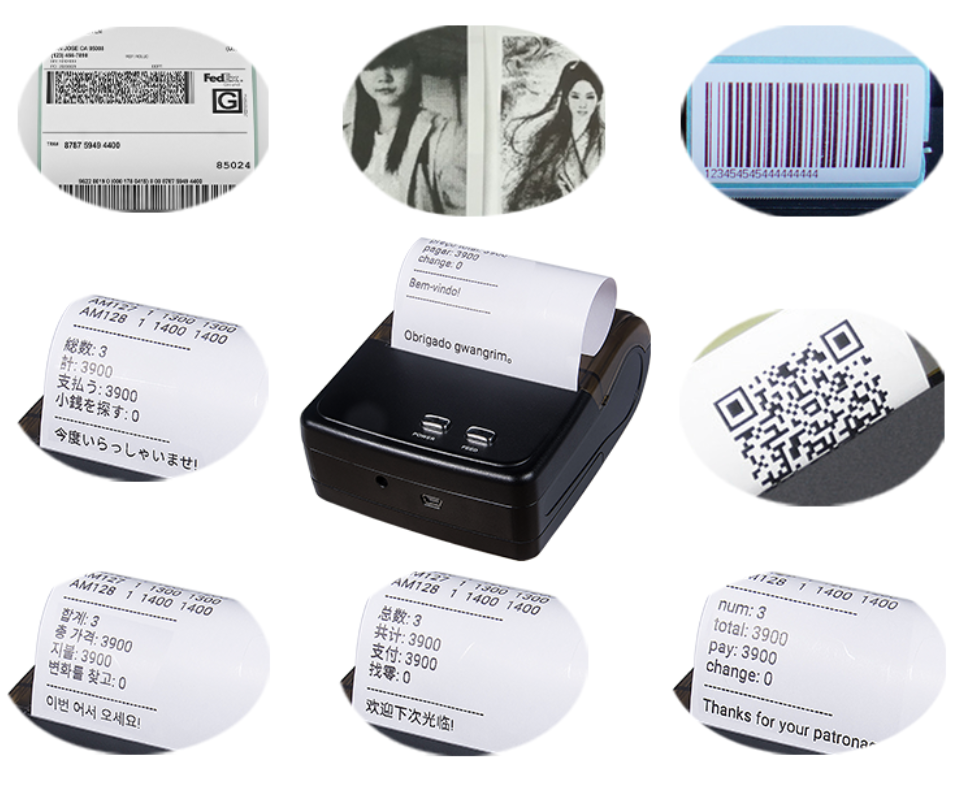
The printer supports thermal media up to 80mm wide, giving businesses more layout space than smaller-format receipt printers. Depending on the selected model and software configuration, it can print:
1.Transaction receipts
2.Product and price information
3.Restaurant orders
4.Customer bills
5.Payment confirmations
6.Queue numbers
7.Delivery records
8.One-dimensional barcodes
9.QR codes
10.Simple logos
11.Basic monochrome graphics
Its 203dpi resolution supports clear everyday transaction printing, while ESC/POS compatibility makes it suitable for integration with many Android-based POS applications.
Product Advantages:
1.Ink-Free Direct Thermal Printing
The Bluetooth receipt printer does not require ink, toner or cartridges. Images are created when the heated print head reacts with the coating on compatible thermal paper.
This helps businesses:
①Reduce consumable replacement
②Avoid ink leakage and cartridge storage
③Simplify routine maintenance
④Keep mobile work areas clean
⑤Prepare the printer quickly for daily use
⑥Control recurring printing costs
2.Compact and Easy to Carry
The mini printer is suitable for indoor and outdoor use. Its portable structure supports restaurants, retail stores, pizza shops, bakeries, cafés, delivery services and other mobile business environments.
3.Easy Paper Replacement
The easy-open paper-compartment button allows users to replace thermal paper quickly. A simple loading structure can reduce employee training time and shorten interruptions during busy operating periods.
4.Convenient Driver Installation
Driver files and technical documents can be provided electronically, eliminating the need for a physical installation CD and making software deployment more convenient.
5.Rechargeable Battery
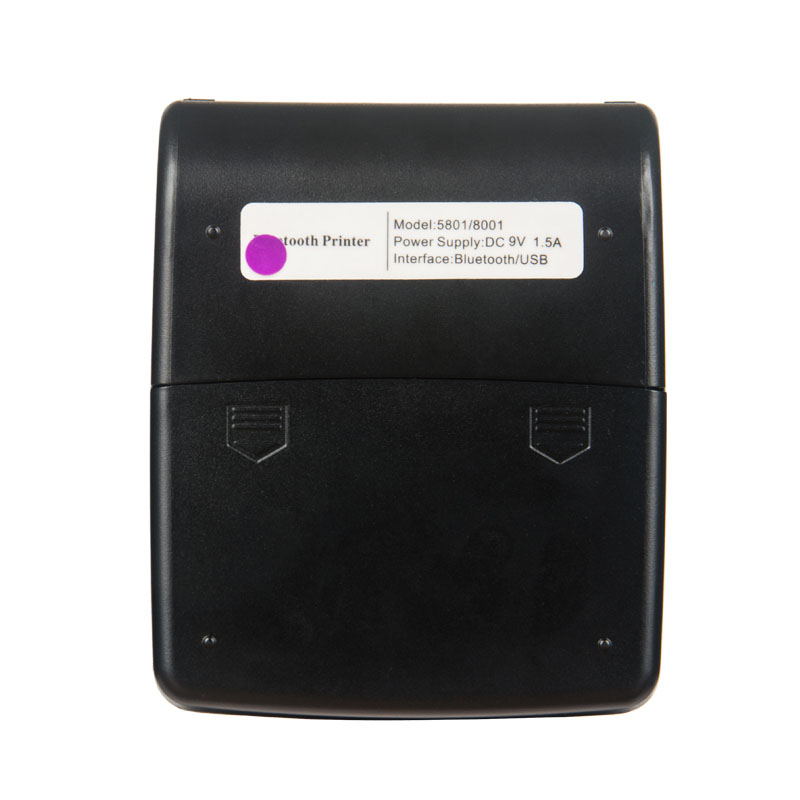
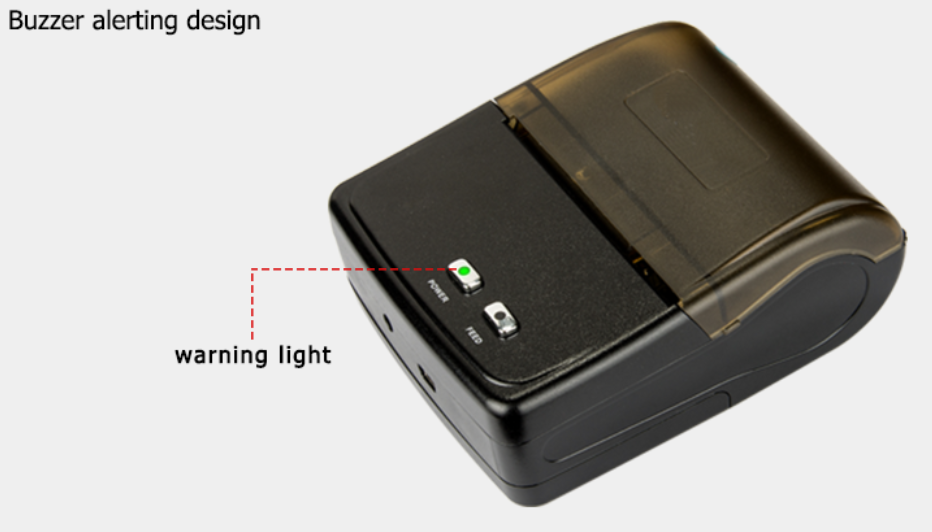
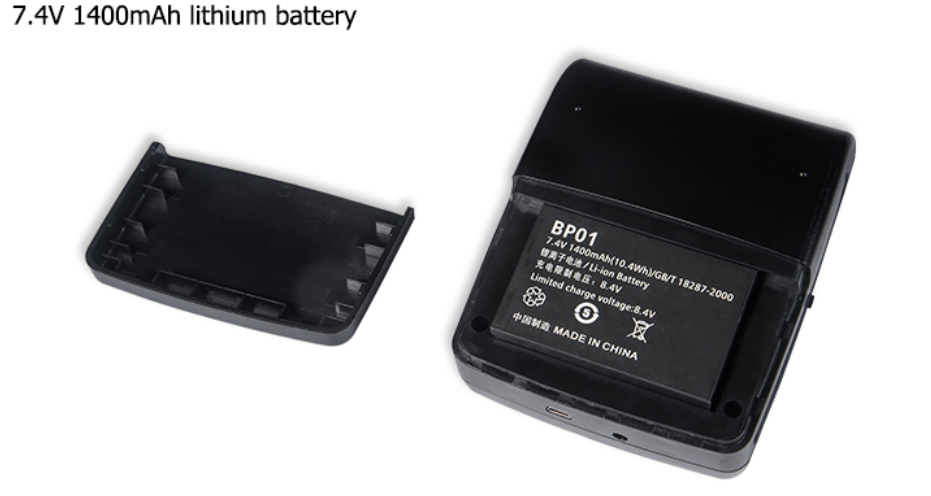
The printer includes a built-in 1500mAh rechargeable lithium-ion battery, together with automatic sleep, automatic wake and battery-level reminder functions.
The listed standby period can reach approximately five to six days under suitable standby conditions. Actual operating time depends on printing frequency, print density, Bluetooth activity, temperature, battery condition and power-management settings.
6.Wide Commercial Application
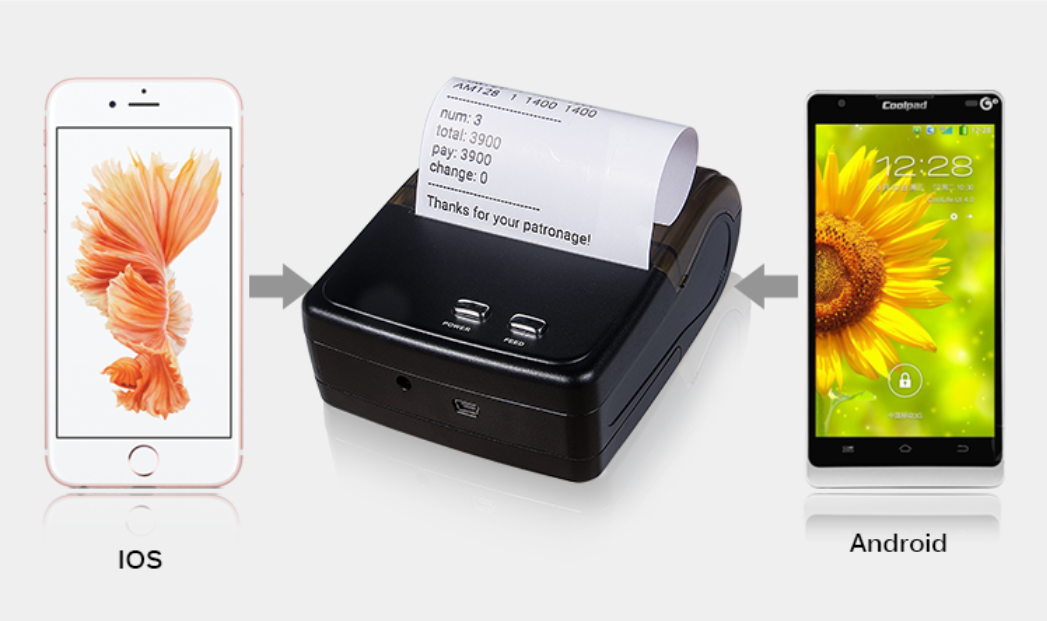
The wireless printer can be used with compatible Android devices, POS systems and ESC/POS-supported applications for restaurant orders, taxi receipts, administrative payment records, postal documents, retail receipts and online payment confirmations.
Product Specifications:
| Item | Specification |
| Product Name | Mini portable thermal printer |
| Product Type | Portable receipt and barcode-content printer |
| Printing Technology | Direct thermal printing |
| Maximum Paper Width | Up to 80mm |
| Effective Print Width | Confirm according to the selected model |
| Resolution | 203dpi |
| Connection | Bluetooth; other interfaces subject to model configuration |
| Printing Command | ESC/POS |
| Supported System | Compatible Android devices and POS systems |
| Battery | Built-in 1500mAh rechargeable lithium-ion battery |
| Standby Function | Automatic sleep and automatic wake |
| Battery Reminder | Supported |
| Media | Thermal receipt paper; label compatibility subject to sensor configuration |
| Printing Content | Text, numbers, logos, supported barcodes, QR codes and basic graphics |
| Color | Black or white |
| Logo | Custom logo available |
| OEM/ODM | Supported |
| Applications | Restaurants, retail, cafés, bakeries, takeaway, transport and mobile services |
| Sample | Available according to order requirements |
80mm Paper Capacity and Layout Flexibility
The maximum supported media width is up to 80mm. A wider paper format provides additional space for transaction details, product descriptions, taxes, payment methods, store information, logos and barcode content.
However, maximum paper width and effective print width are different specifications.
The maximum paper width refers to the width of media that can be installed in the printer. Effective print width refers to the area that the print head can actually cover. The precise effective print width should therefore be confirmed according to the selected model.
Before creating a receipt or ticket template, buyers should confirm:
1.Maximum paper width
2.Effective printing width
3.Left and right margins
4.Maximum roll diameter
5.Paper grammage
6.Core size
7.Paper-loading direction
8.Required receipt length
Layouts should be designed according to the effective printable area rather than the full 80mm paper width.
Thermal Printer Handheld Mobility
The compact thermal printer handheld structure allows employees to carry the device between different operating areas instead of returning to a fixed printing station.
It is suitable for:
1.Tableside restaurant service
2.Mobile ordering
3.Mobile payment collection
4.Temporary checkout counters
5.Outdoor markets
6.Pop-up stores
7.Exhibition booths
8.Delivery vehicles
9.Taxi operations
10.Field-service teams
For each thermal printer user, convenient paper replacement, visible battery information and reliable Bluetooth connection can help simplify daily operation.
The portable structure is particularly useful when the transaction takes place away from a traditional checkout counter.
Professional Thermal Printer Output at 203dpi
A professional thermal printer should be evaluated by more than resolution alone. Printing clarity also depends on thermal-paper sensitivity, print-head condition, software output, barcode design and print-density settings.
The 203dpi resolution is suitable for:
1.Receipt text
2.Product names
3.Prices and quantities
4.Order numbers
5.Payment information
6.Basic logos
7.One-dimensional barcodes
8.QR codes
9.Simple monochrome graphics
For clearer results:
1.Use high-contrast black-and-white artwork
2.Avoid extremely small fonts
3.Maintain sufficient space around barcodes
4.Select barcode dimensions suitable for the scanner
5.Avoid overly complex grayscale graphics
6.Test the final layout with the selected thermal paper
7.Adjust print density only when necessary
Barcode readability should always be tested using the intended paper, scanner and software environment.
Bluetooth Connectivity and Mobile Workflow
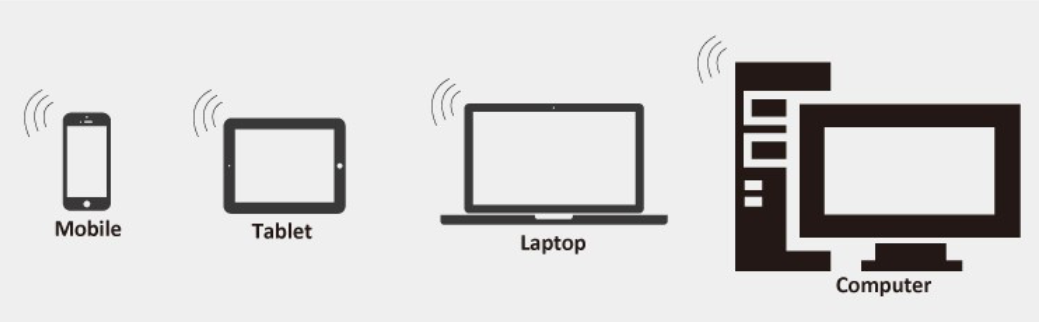
Bluetooth allows the printer to communicate wirelessly with compatible Android phones, tablets and POS equipment.
A typical workflow includes:
The operator receives or enters an order on a mobile device.
The POS application creates the receipt or bill.
Printing data is transmitted through Bluetooth.
The printer outputs the document on compatible thermal paper.
The receipt is handed to the customer or attached to the order.
Wireless operation helps reduce cable restrictions and makes it easier for employees to move between ordering, checkout, service and delivery areas.
Actual compatibility depends on:
1.Android version
2.POS application
3.Bluetooth protocol
4.ESC/POS implementation
5.Printer driver
6.SDK
7.Character encoding
8.Receipt template
9.Barcode command
10.Software permissions
Sample testing is recommended before bulk purchasing or system deployment.
POS Terminal/Thermal Printer Integration
For POS terminal/thermal printer integration, the payment terminal, operating system, POS application and printing commands must work together.
Before ordering, buyers should provide:
1.Mobile-device or POS-terminal model
2.Operating-system version
3.POS-software name
4.Bluetooth requirements
5.ESC/POS command requirements
6.Language and character set
7.Receipt-template format
8.Logo-printing requirements
9.Barcode or QR-code requirements
10.Driver or SDK requirements
Bluetooth availability alone does not guarantee compatibility with every POS application.
For project orders, customers can provide their application name, test file or technical requirements so that compatibility can be evaluated more accurately.
ESC/POS Command Functions
Depending on the selected printer model and software implementation, ESC/POS commands may support:
1.Text alignment
2.Font-size adjustment
3.Bold text
4.Underlining
5.Line spacing
6.Paper feeding
7.Barcode printing
8.QR-code printing
9.Logo output
10.Bitmap printing
11.Character encoding
The exact supported command set should be confirmed before system integration.
For OEM and software projects, test commands or application files can be supplied for technical evaluation.
Thermal Printer for Billing and Transaction Printing
This product can function as a thermal printer for billing when connected to compatible restaurant, retail or mobile POS software.
It can be used to print:
1.Retail sales receipts
2.Restaurant bills
3.Takeaway orders
4.Mobile-payment confirmations
5.Administrative fee receipts
6.Taxi fare receipts
7.Service-payment records
8.Delivery-payment documents
9.Customer transaction copies
The printer does not calculate transaction amounts independently. It prints the bill or receipt generated by the connected POS application.
Receipt templates should be designed according to the effective printing width and supported command functions.
Restaurant Thermal Printer Applications
As a compact restaurant thermal printer, the device can support ordering, billing and customer-service workflows in:
1.Restaurants
2.Cafés
3.Bakeries
4.Pizza shops
5.Tea shops
6.Food trucks
7.Takeaway counters
8.Temporary food stalls
It can print:
1.Customer bills
2.Table numbers
3.Order references
4.Takeaway receipts
5.Pickup numbers
6.Payment confirmations
7.Basic kitchen or service information
The portable design allows employees to print near the customer, cashier or preparation area according to the restaurant workflow.
For high-volume kitchens, buyers should first confirm whether the selected configuration is designed for front-counter receipt printing or kitchen-order printing.
Return Thermal Printer for Retail Counters
At retail return and exchange counters, the device can operate as a return thermal printer for printing documents generated by compatible POS software.
Possible documents include:
1.Return confirmations
2.Refund references
3.Exchange records
4.Return-order numbers
5.Customer transaction copies
6.Store-credit receipts
The printer itself does not process refunds or returns. It only prints the information sent by the retail POS system.
Before implementation, the return template, barcode format and software compatibility should be tested.
Thermal POS Ticket Printer Applications
In compatible software environments, the printer may be used as a thermal POS ticket printer for:
1.Queue numbers
2.Order-collection tickets
3.Parking transaction records
4.Temporary event tickets
5.Service-counter numbers
6.Admission references
7.Mobile-payment tickets
8.Customer pickup slips
The required ticket length, barcode size and content layout should be tested before formal deployment.
For tickets requiring longer image retention, buyers should also select suitable thermal paper and storage conditions.
Barcode and QR-Code Printing
The printer can output supported barcode and QR-code content when the connected application and ESC/POS command set provide the required functions.
For improved scanning:
1.Select a suitable barcode type.
2.Maintain sufficient barcode width and height.
3.Leave a clear quiet zone around the code.
4.Avoid printing over folds or damaged paper.
5.Use thermal media with consistent image density.
6.Keep the print head clean.
7.Test the code with the intended scanner.
8.Avoid excessive density that merges barcode lines.
9.Avoid insufficient density that creates broken lines.
10.Use an appropriate QR-code size for the encoded data.
For payment, inventory or logistics projects, physical scan testing should be completed before bulk use.
Barcode Label Thermal Printer Compatibility
The current product can print barcode content, but a printer that produces barcodes on continuous receipt paper is not automatically a barcode label thermal printer.
For die-cut adhesive barcode labels, buyers should confirm whether the selected configuration includes:
1.Label-gap sensing
2.Black-mark detection
3.Automatic label calibration
4.Adjustable label length
5.Die-cut label support
6.Continuous-label support
7.Label-design software
8.Suitable backing-paper transport
9.Label-position memory
10.Appropriate maximum label width
Without these functions, the printer may print a barcode but may not accurately position individual adhesive labels.
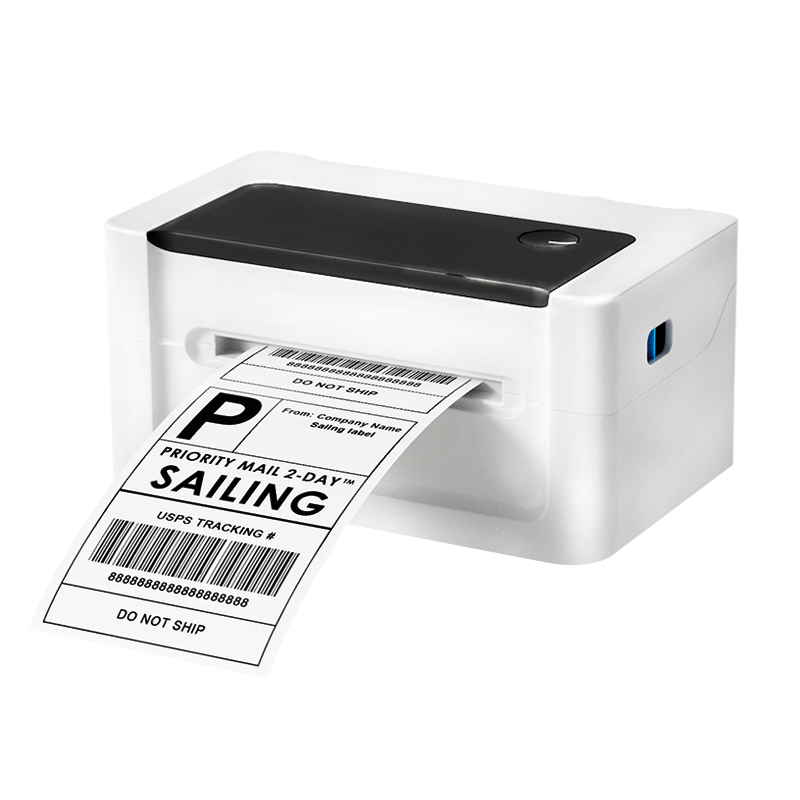
Thermal Label Shipping Printer Compatibility
A thermal label shipping printer normally requires accurate label positioning, sufficient label width, suitable paper-path design and support for adhesive label materials.
Before using this product for shipping labels, confirm:
1.Required shipping-label width
2.Label length
3.Gap size
4.Black-mark location
5.Backing-paper thickness
6.Roll diameter
7.Label-calibration function
8.Software compatibility
9.Barcode-scanning requirements
If these features are not included in the selected configuration, the product should be promoted primarily as a portable thermal receipt and billing printer rather than a shipping-label printer.
Thermal Paper and Label Media Selection
Compatible media directly affects printing clarity, paper feeding and print-head cleanliness.
Before ordering thermal paper, confirm:
1.Paper width
2.Maximum roll diameter
3.Core size
4.Paper grammage
5.Thermal sensitivity
6.Winding direction
7.Required roll length
8.End-of-roll warning requirement
9.Plain or custom-printed paper
10.Receipt paper or adhesive label stock
A roll can have the correct width but still be unsuitable if its diameter is too large for the printer compartment.
Smooth surfaces, clean edges and even winding help reduce paper dust and support stable operation.
Application Scenarios
1.Retail Stores
Small retail businesses can use the printer for customer receipts, payment records, exchange documents and mobile checkout.
It is suitable for temporary counters, exhibitions, market stalls and pop-up stores.
2.Restaurants and Food Service
Restaurants and takeaway businesses can use the printer for customer bills, table references, order numbers and payment confirmations.
3.Transportation Services
Taxi, shuttle and other transportation operators may print fare receipts, journey information and payment records.
4.Delivery and Field Service
Delivery personnel and field-service teams can print delivery acknowledgments, payment records, work-order information and customer copies at the service location.
5.Administrative Counters
Compatible systems can use the device for administrative-payment receipts, queue numbers and service confirmations.
6.Postal and Courier Operations
Postal and courier businesses may use the printer for compact transaction records, customer receipts and service documents.
7.Mobile Payment
Businesses using compatible mobile-payment software can print transaction confirmations immediately after payment.
Thermal Printer Quality and Performance Evaluation
Thermal printer quality should be assessed through actual operating performance rather than appearance or unit price alone.
Important factors include:
1.Text clarity
2.Barcode definition
3.Print alignment
4.Paper-feeding stability
5.Bluetooth connection
6.Reconnection after sleep
7.Battery operation
8.Charging performance
9.Paper-cover durability
10.Button response
11.Software compatibility
12.Batch consistency
The printer should be tested with the intended mobile device, POS software and thermal media.
A sample test can reveal compatibility issues that may not be visible from a specification sheet alone.
Thermal Printer Quality-Control Process
For wholesale and OEM orders, quality control may include:
1.Appearance Inspection
Check the housing, buttons, paper cover, connection ports, labels and surface finish.
2.Power and Charging Test
Confirm normal startup, charging and battery-status display.
3.Bluetooth Test
Check device discovery, pairing, transmission and reconnection.
4.Printing Test
Evaluate text clarity, line consistency, paper feeding, alignment, barcode output and QR-code output.
5.Paper-Loading Test
Confirm that the paper compartment opens and closes correctly and holds the roll securely.
6.ESC/POS Test
Verify the required text, barcode, QR-code and paper-feed commands.
7.Sleep and Wake Test
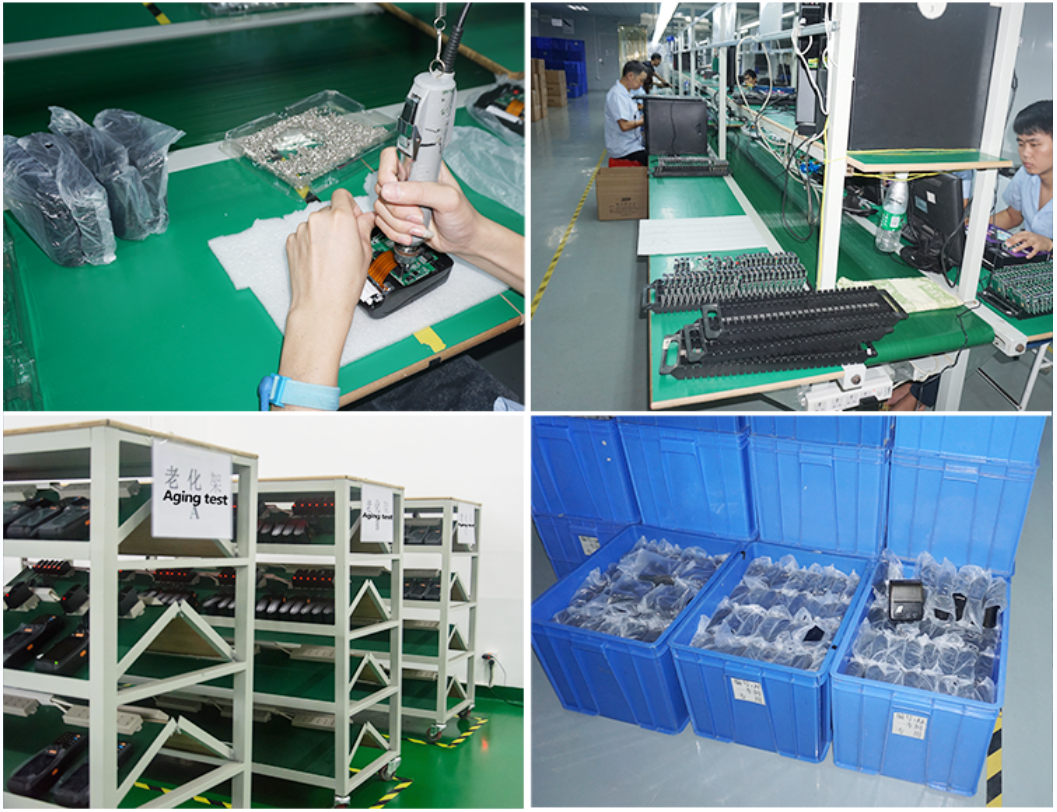
Check automatic sleep, wake and Bluetooth reconnection where applicable.
8.Packaging Inspection
Confirm printer quantity, accessories, instructions, product labels, carton information and OEM artwork.
Battery Use and Charging Recommendations
To maintain battery performance:
1.Use compatible charging equipment.
2.Avoid storing the printer with a fully depleted battery.
3.Charge the device periodically during long-term storage.
4.Keep the battery away from excessive heat.
5.Protect the printer from water and physical damage.
6.Stop using the battery if it becomes swollen or unusually hot.
7.Follow the charging instructions supplied with the selected model.
Actual battery performance varies according to printing volume, Bluetooth activity, temperature, battery age and charging habits.
Maintenance and Cleaning
Regular maintenance helps protect print quality and extend service life.
Recommended practices include:
1.Turn off the printer before cleaning.
2.Remove the thermal-paper roll.
3.Remove paper dust from the paper path.
4.Clean the print head carefully without scratching it.
5.Check for adhesive, dust or foreign material.
6.Avoid applying excessive cleaning liquid.
7.Allow all components to dry before restarting.
8.Use clean and accurately slit thermal media.
9.Keep the printer away from water, oil and severe impact.
10.Store the device in a dry environment.
When print output becomes light or uneven, check the paper direction, paper quality, battery level, print-density setting and print-head cleanliness.
Thermal Printer Solutions for Distributors
Sailing provides integrated thermal printer solutions for importers, distributors, retail brands, restaurant equipment suppliers and POS-system partners.
Support may include:
1.Printer-model selection
2.Thermal-paper matching
3.Sample evaluation
4.ESC/POS compatibility communication
5.OEM branding
6.Packaging customization
7.Product-label design
8.Private-label thermal paper
9.Export-carton design
10.Order inspection
11.Shipment coordination
12.After-sales analysis
Printer and thermal paper can be sourced together, helping distributors maintain more consistent media compatibility and packaging standards.
China Thermal Label Printer Sourcing Guide
When sourcing a China thermal label printer, buyers should provide a complete application description instead of only asking for a general printer model.
Recommended information includes:
1.Receipt or adhesive-label application
2.Required paper width
3.Required label size
4.Maximum roll diameter
5.Mobile-device model
6.Operating system
7.POS software
8.Barcode requirements
9.Communication method
10.Expected daily printing volume
11.Battery requirements
12.OEM logo and packaging
13.Destination-market requirements
Clear project information helps the supplier recommend a more suitable configuration and reduces compatibility problems after delivery.
Choosing a Cheap Thermal Label Printer
Buyers searching for a cheap thermal label printer should not evaluate the product only by purchase price.
A lower initial price may not provide good long-term value if the printer has unstable Bluetooth communication, limited software compatibility, short battery life or poor media positioning.
Important comparison factors include:
1.Receipt or label-media compatibility
2.Print resolution
3.Effective print width
4.Maximum roll diameter
5.Gap or black-mark sensing
6.Operating-system compatibility
7.ESC/POS support
8.Battery capacity
9.Driver or SDK availability
10.OEM and after-sales support
For this product, receipt printing and supported barcode output are the primary confirmed functions. Adhesive-label sensing should be confirmed according to the selected configuration.
Why Choose Sailing?
Sailing supplies thermal paper, thermal labels, printing equipment and related consumables for international buyers.
Working with one supplier for both printers and compatible media can help buyers:
1.Match printers with suitable thermal paper
2.Reduce media-compatibility errors
3.Standardize private-label packaging
4.Combine printer and consumable procurement
5.Test paper and printer performance together
6.Coordinate OEM artwork
7.Simplify export packaging
8.Develop a more complete product range
For project orders, buyers can provide their printer application, software information, media size and target market so that a more suitable solution can be evaluated.
Frequently Asked Questions
1. Does this mini portable thermal printer require ink?
No. It uses direct thermal printing and requires compatible thermal paper rather than ink, toner or ribbon.
2. What is the maximum supported paper width?
The corrected maximum paper width is up to 80mm. The effective print width should be confirmed according to the selected printer model.
3. Can it connect to Android phones and tablets?
It can connect to compatible Android devices through Bluetooth and ESC/POS-supported applications. The intended software should be tested before bulk ordering.
4. Does it support iOS?
The current listed product information clearly states Android support. iOS compatibility should be confirmed separately according to the selected configuration, application and SDK.
5. Can it print barcodes and QR codes?
Yes, when the connected software and ESC/POS command set support the required barcode or QR-code format. Actual scan performance should be tested.
6. Can it print adhesive barcode labels?
This depends on the selected configuration. Gap sensing, black-mark detection and label calibration should be confirmed before using it for die-cut adhesive labels.
7. Can it be used as a restaurant thermal printer?
Yes. With compatible restaurant or POS software, it can print customer bills, orders, pickup numbers and payment confirmations.
8. Can it print retail return receipts?
Yes. It can print return and refund documents generated by compatible retail POS software.
9. How long does the battery operate?
The printer uses a 1500mAh rechargeable battery. Actual working time depends on printing frequency, Bluetooth use, print density, temperature and battery condition.
10. Does it support OEM branding?
Yes. Logo, product color, labels, packaging and accessories can be customized according to order requirements.
11. Can a sample be tested before bulk production?
Yes. Sample testing is recommended for verifying device, software, barcode, paper and Bluetooth compatibility.
12. Can thermal paper be supplied with the printer?
Yes. Paper width, roll diameter, core size, grammage, packaging and custom printing can be planned together with the printer order.
CTA:
Looking for a reliable mini portable thermal printer for restaurant billing, retail checkout, mobile payment or field-service receipt printing?
Send us your required quantity, application, mobile device, POS software, paper specification, barcode requirements and OEM packaging details.
Contact Sailing for product specifications, compatibility evaluation, samples and wholesale quotations.
Sailing group has companies in China including Sailing, Evergreen, Petra, factoriesin both China and
Malaysia lt focus on production and export of printing, packaging and logistic consumables

Support
High Efficiency
Application

Products categories
-
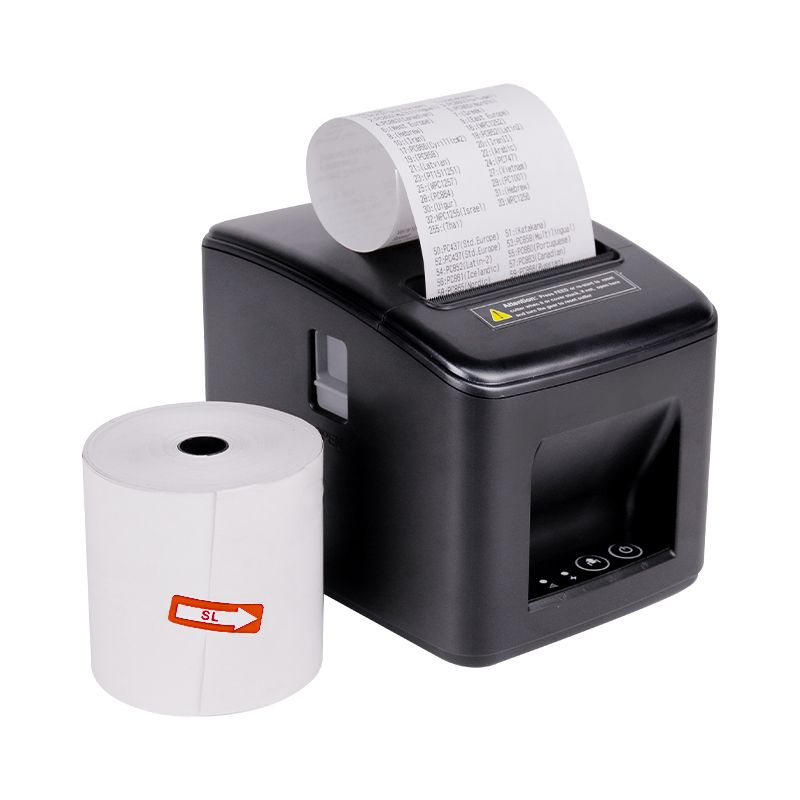
Desktop Thermal printer 80mm receipt bill usb f...
-
China Self Adhesive Label Die Cutting Machine A...
-
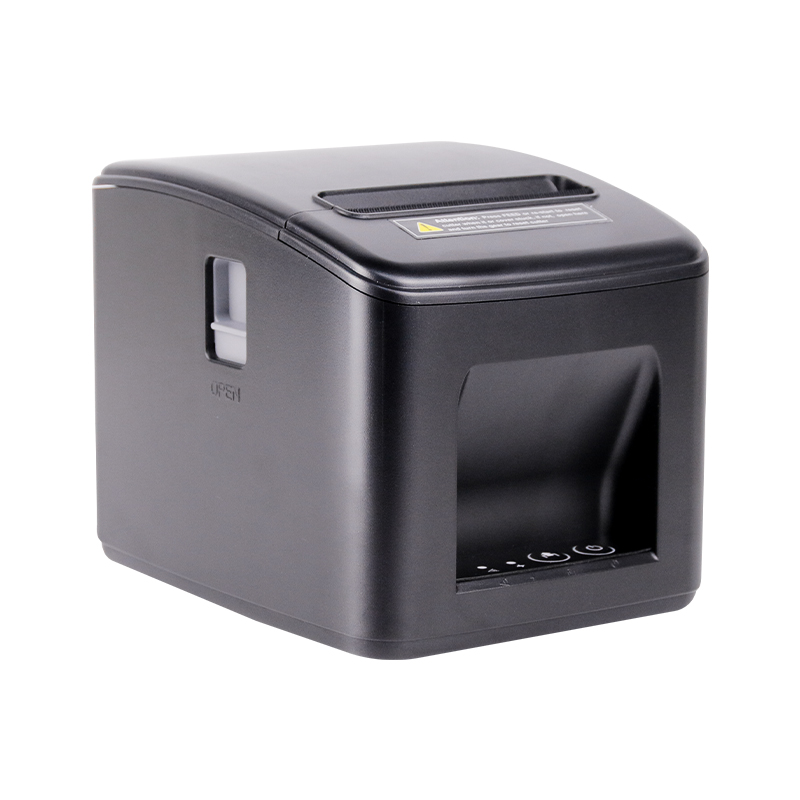
Thermal Printer Manufacturer Best Cheap Portabl...
-
Slitting And Rewinding Machine Manufacturers Fu...
-
Thermal label printer 4 inch single thermal shi...
-
Mini portable a4 printer wireless Bluetooth han...