


High quality 58mm 80mm a4 pos receipt thermal paper printer
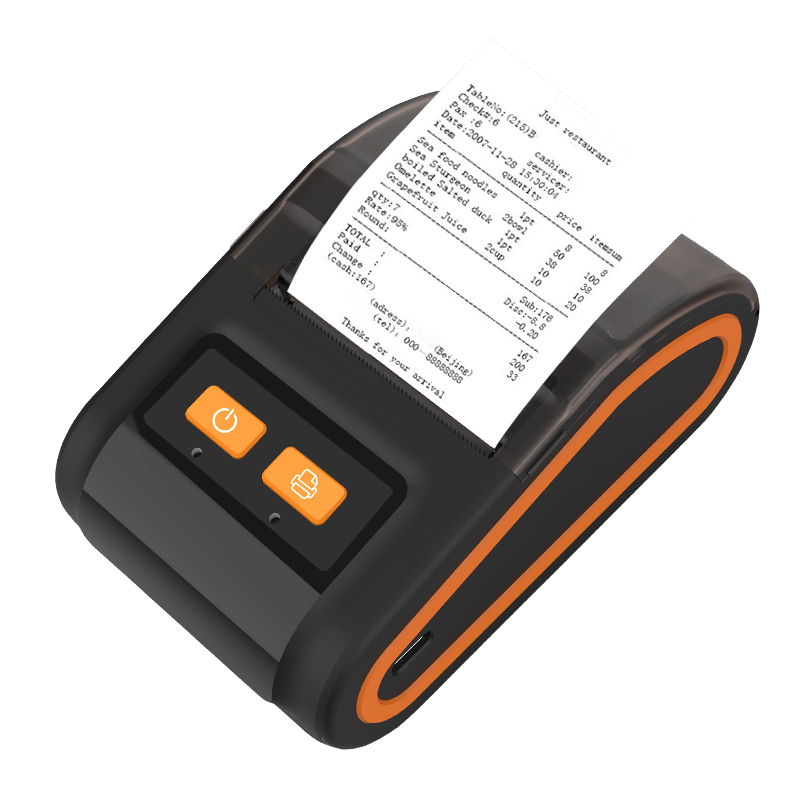
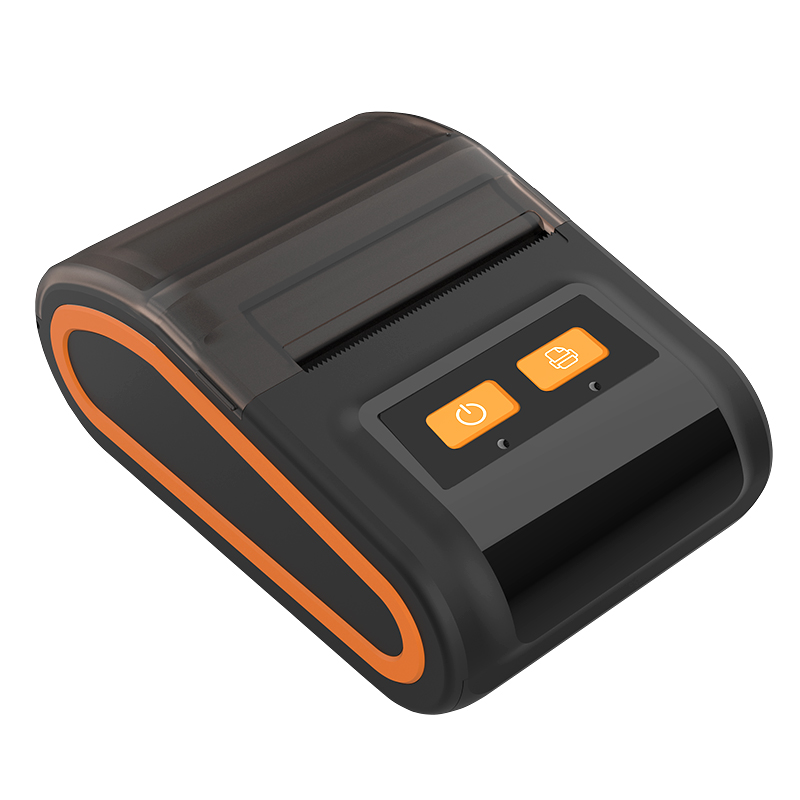
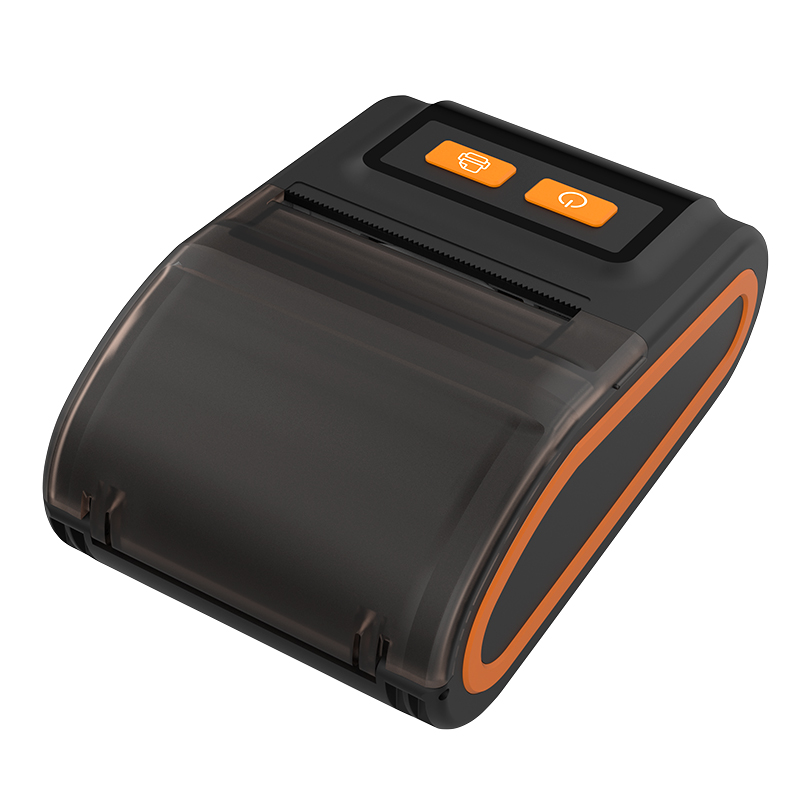
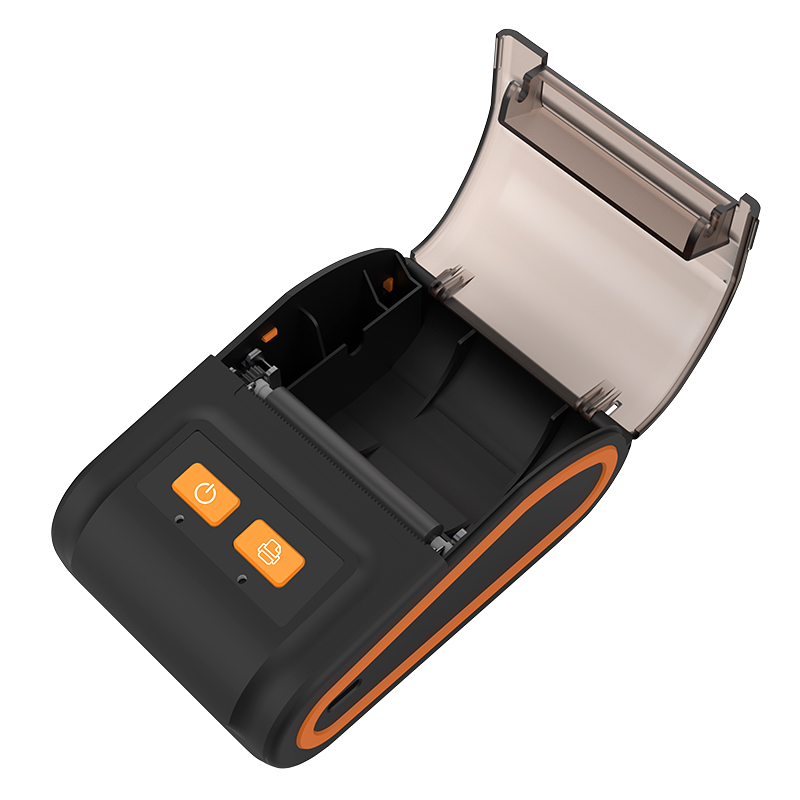
Product Overview:
This thermal paper printer is designed for retail stores, restaurants, cafés, bakeries, takeaway businesses and mobile POS applications. Available in 58mm, 80mm and A4 formats, it provides fast and clear printing for receipts, orders and transaction records without ink or ribbon.
The portable 58mm model supports Bluetooth connectivity, direct thermal printing and rechargeable battery operation. Its compact design makes it suitable for both fixed checkout counters and mobile receipt printing.
What is thermal printer
A direct thermal printer applies heat to heat-sensitive paper with the use of a print head made from numerous small pins. The pins are heated in a selective pattern which either activates heat-sensitive chemicals in the paper or actually burns the paper to create a design. With direct thermal printers, single color printing in black is the most common option, although sometimes a second color is also available.as thermal paper.
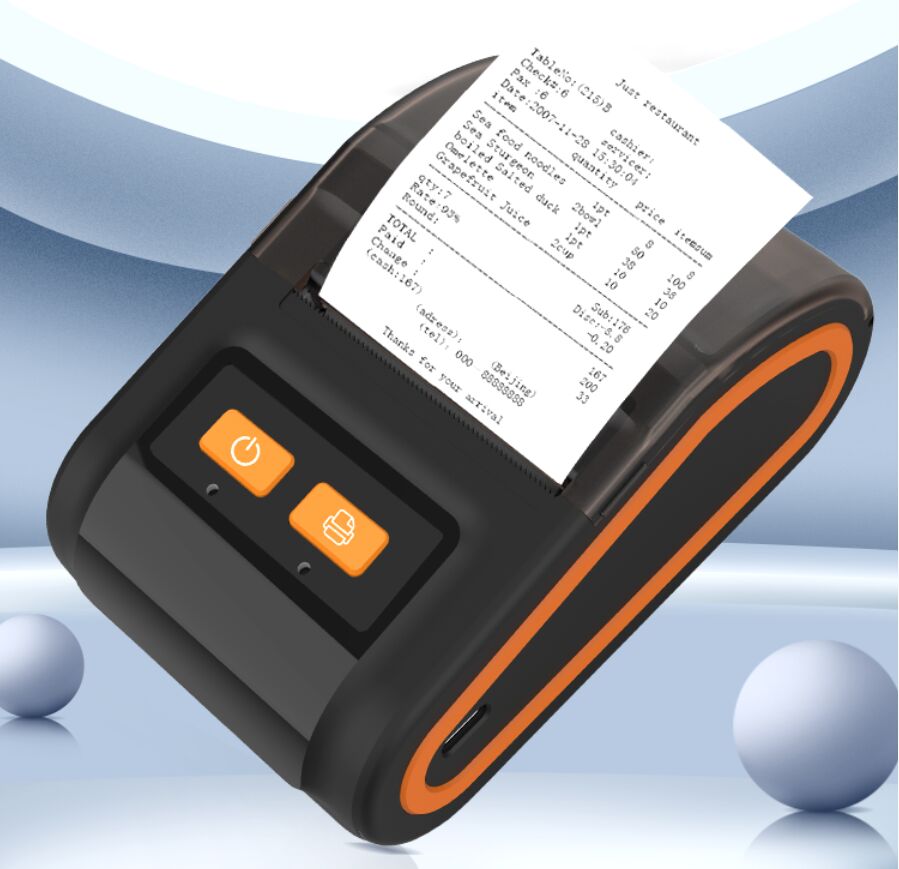
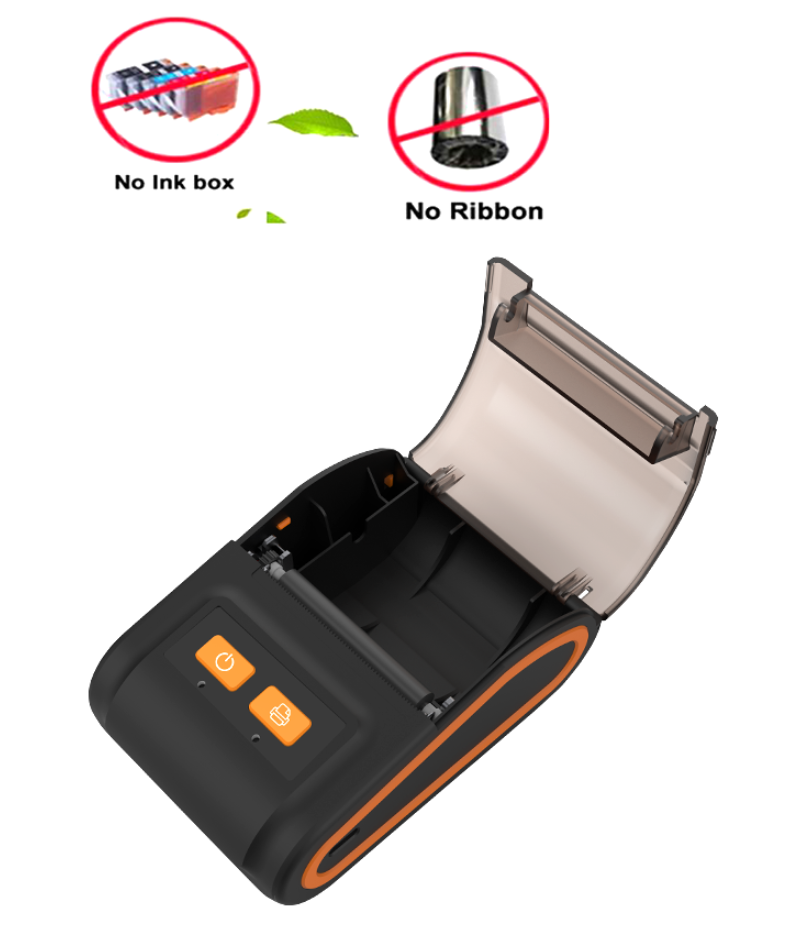
Direct thermal printing forms text, numbers, logos, barcodes and transaction information by heating the coated surface of thermal paper. Because the image is produced through the thermal coating, the printer does not normally require ink cartridges, toner or thermal-transfer ribbons.
This makes the product suitable for businesses that need frequent receipt printing while simplifying consumable replacement and routine operation.
Product Specifications
| Item | Specification |
| Item | thermal printer |
| Print Width | 48mm |
| Max Paper Size | 58mm |
| Size | 58mm thermal printer |
| Accept | OEM, ODM |
| Color | Black and white |
| Logo | Custom |
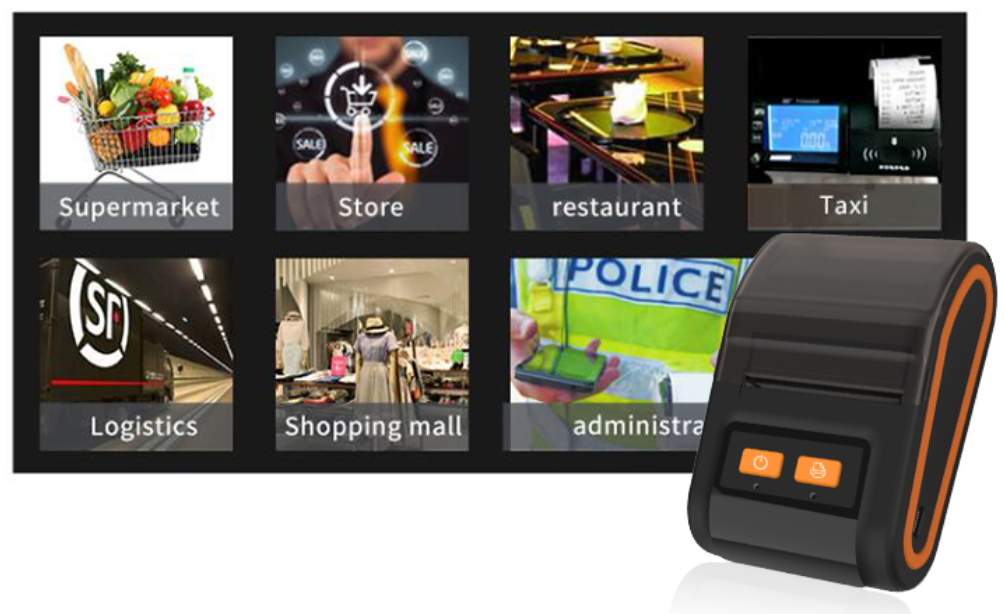
| Use | restaurants, retail, pizza shop, bakery, cafe shop |
| Free Sample | Yes |
| Instructions | ESC/POS |
| Max. Resolution | 203dpi |
| Printing Method | Direct thermal printing |
| Interface Shown | Bluetooth and Type-C |
| Compatible Systems Shown | Android, iOS and Windows |
| Battery | 1200mAh lithium battery |
| Main Paper Format | 58mm direct thermal receipt paper |
The current page lists a 48mm print width, maximum paper size of 58mm, ESC/POS instructions and resolution up to 203dpi.
The total paper width and effective print width are not the same. Receipt layouts, logos, barcodes and QR codes should therefore be designed within the effective 48mm printable area of the displayed model.
Professional Printing
Printing life 50KM, efficient printing todouble the efficiency of your company.
The printer is designed to produce clear transaction text, prices, dates, order numbers and receipt graphics. Its 203dpi resolution supports everyday commercial receipt requirements while maintaining a compact machine structure.
For a stable thermal printer receipt workflow, print density should be matched with the sensitivity and surface quality of the selected thermal paper. Excessive heat settings may create darker images but can also increase energy consumption and place additional stress on the print head.
Working Light
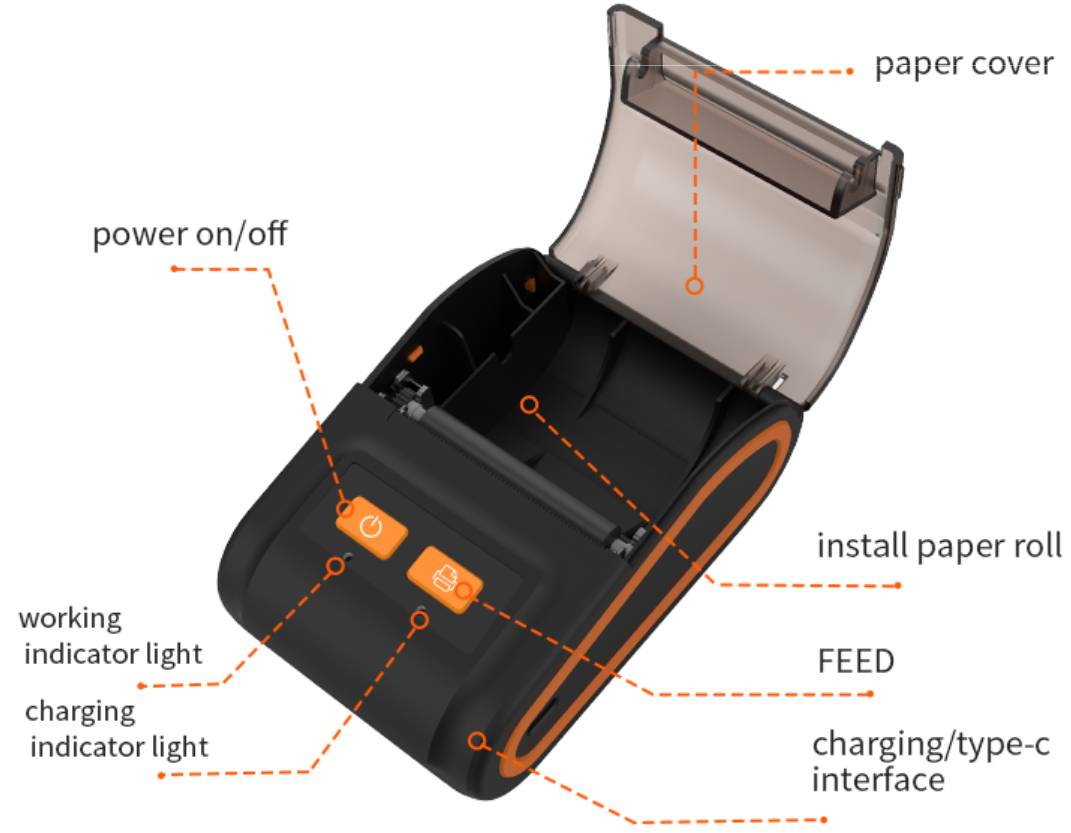
Buzzer and LED light, Unique indicatorlight design,master the printing situation.
The buzzer and LED indicator help operators understand the printer’s operating status. Depending on the selected configuration, the indicator system can assist users in identifying power, charging, Bluetooth connection, paper status or printing alerts.
This is especially useful in restaurants, retail stores and other busy commercial environments where employees need to recognize operating conditions quickly.
Lucida Bright
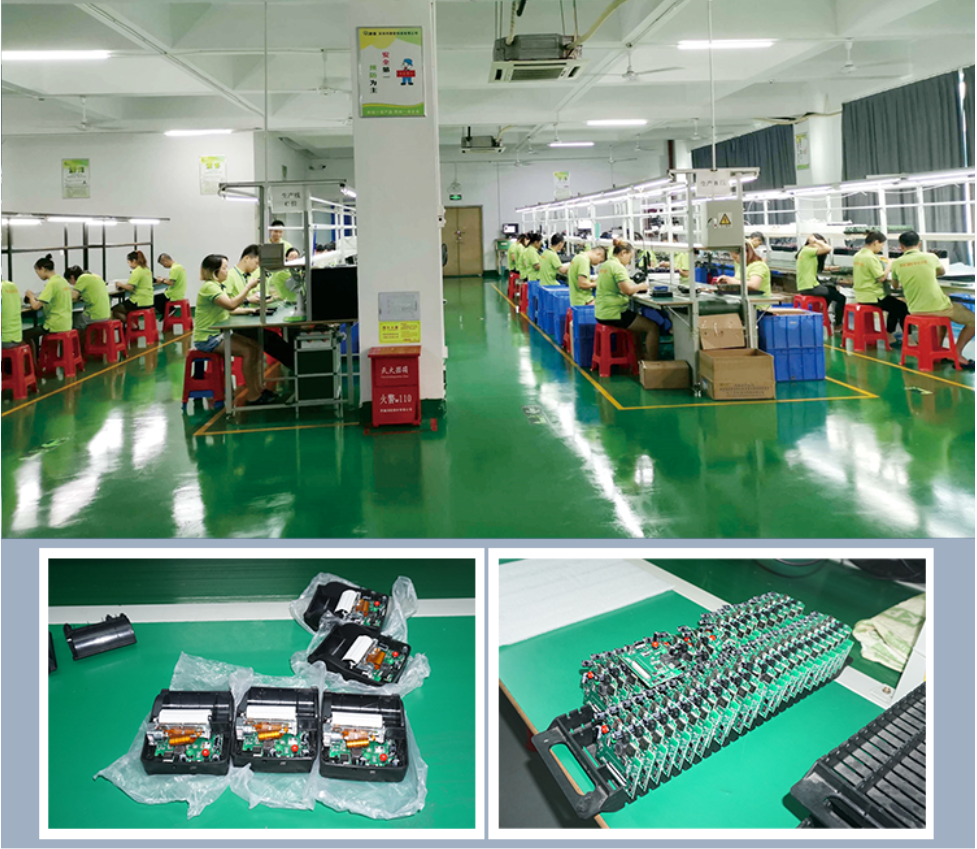
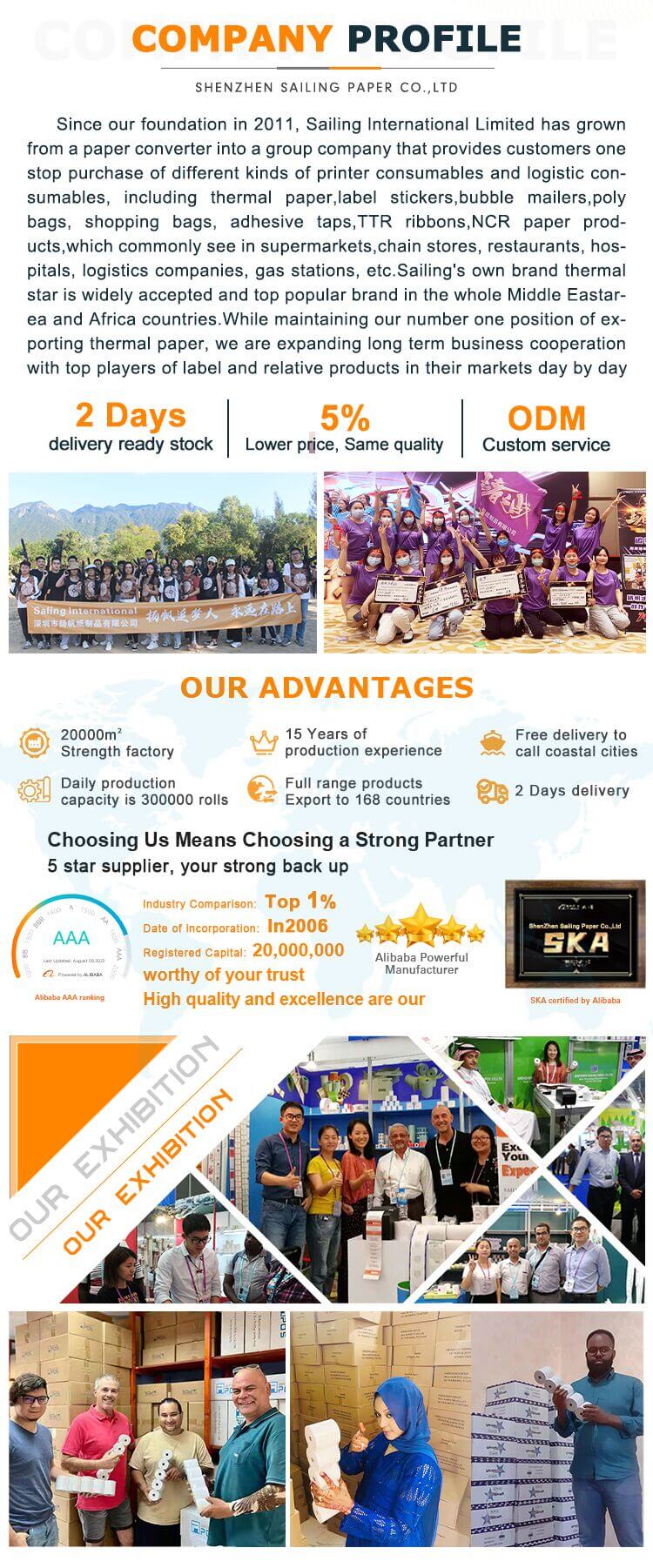
Sailing group has companies in China including Sailing, Evergreen, Petra, factoriesin both China and
Malaysia lt focus on production and export of printing, packaging and logistic consumables
Sailing can combine printer supply with compatible thermal paper solutions. Buyers can evaluate the printer, paper roll, receipt layout and POS software as one complete printing system instead of purchasing each component separately.
This integrated approach is suitable for distributors, POS solution providers, retail projects and customers that require continuous thermal paper supply after purchasing the printer.
Thermal Direct Printing, No Ink or Ribbon
Direct thermal printing does not normally require ink, toner or a thermal-transfer ribbon. Operators only need to replace the compatible thermal paper roll when the existing roll is used up.
A thermal paper receipt printer can therefore reduce the number of printing consumables that must be stored and replaced during daily operation. It is especially suitable for frequent, short-format transaction printing.
Thermal images may be affected by prolonged heat, strong sunlight, friction or contact with certain chemicals. The thermal paper grade should therefore be selected according to the required image-storage period and operating environment.
Widely Device Compatible
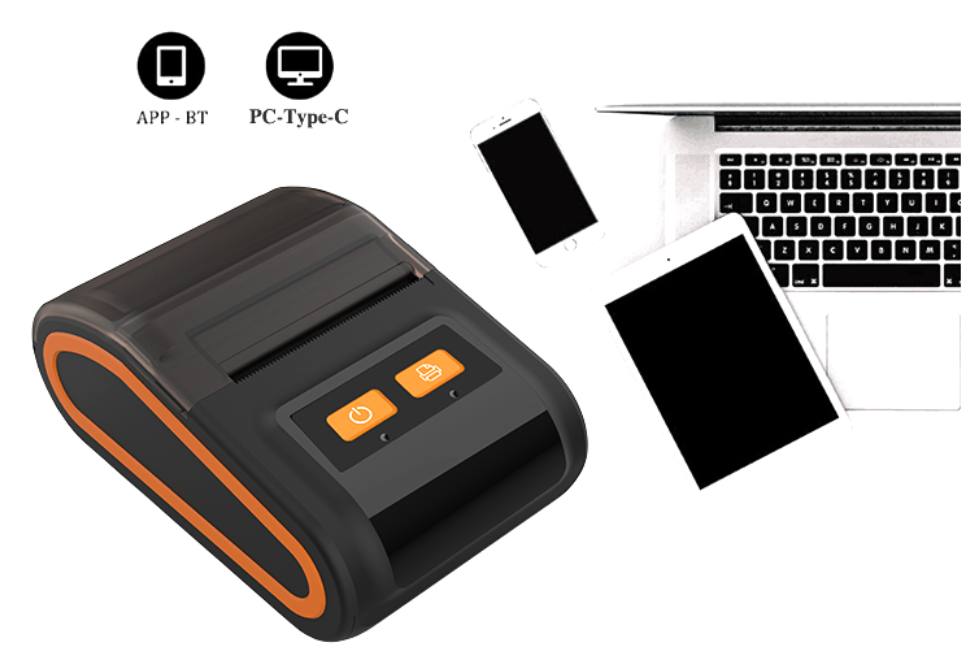
Bluetooth and Type-C Interfaces,compatible Android,IOS,and windows
Bluetooth connectivity allows the printer to communicate with compatible phones, tablets, computers and POS terminals. The Type-C interface provides a convenient charging method for daily mobile operation.
This configuration allows the product to function as a thermal wireless receipt printer for mobile checkout, table-side ordering, temporary retail counters and delivery collection.
Before bulk purchasing, buyers should confirm the following compatibility requirements:
| Compatibility Item | Information to Confirm |
| Operating system | Android, iOS or Windows version |
| POS software | Whether the software supports the printer |
| Printing command | ESC/POS compatibility |
| Bluetooth protocol | Pairing and communication requirements |
| Driver or SDK | Availability for the intended platform |
| Language | Character set and font support |
| Receipt format | Logo, barcode, QR code and layout |
| Charging standard | Plug and power requirements for the destination market |
Operating-system compatibility does not automatically mean the printer will work with every POS application. Customers using proprietary or customized software should test a sample printer before bulk deployment.
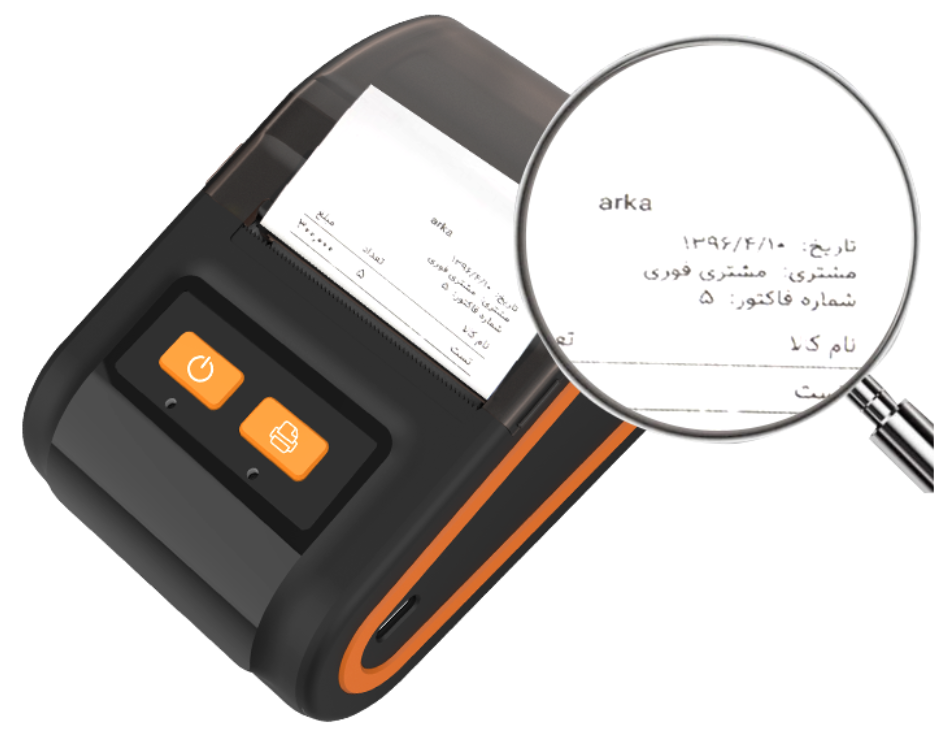
Support Multi-Language Printing
Multi-language printing is useful for international retail, hospitality, tourism, transportation and cross-border commercial applications.
Actual language support depends on the printer firmware, character library, driver and POS software. Buyers should provide sample content before ordering when receipts require Arabic, accented European languages, Asian characters or mixed-language layouts.
Testing can be used to confirm:
1.Character completeness
2.Text alignment
3.Font size
4.Line spacing
5.Right-to-left language layout
6.Logo position
7.Barcode and QR-code position
Rechargeable Battery for Mobile Printing
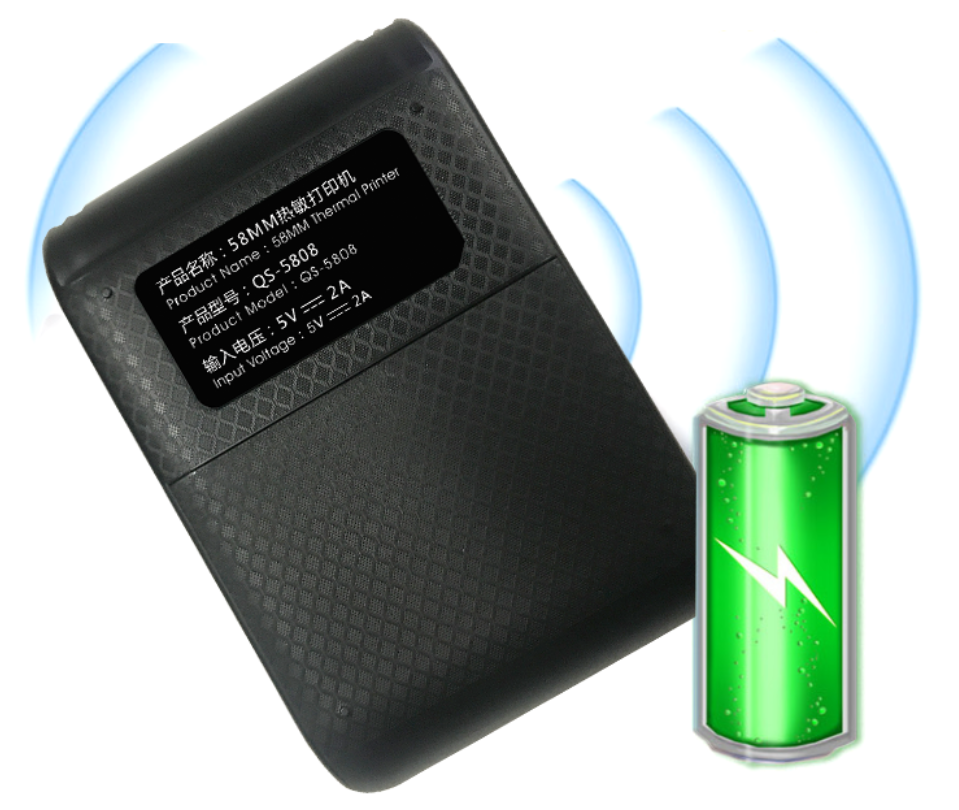
1200mAh LITHIUM BATTERYlt can prin continuously for 4 hours or 200 meters with one time charge
The built-in rechargeable battery supports receipt printing when a fixed power outlet is not continuously available. This makes the product suitable as a thermal printer for mobile payment, field service, delivery collection and table-side ordering.
The current page states that the printer uses a 1200mAh lithium battery and can print continuously for four hours or approximately 200 meters under the stated conditions.
Actual operating time may vary according to print density, receipt length, Bluetooth use, ambient temperature, charging condition and battery age.
58mm, 80mm and A4 Printer Options
The 58mm, 80mm and A4 formats are designed for different printing requirements. Buyers should select a printer according to paper size, daily printing volume, portability and receipt layout.
| Printer Format | Typical Positioning | Common Applications | Main Purchasing Focus |
| 58mm printer | Compact mobile or counter receipt printing | Small retail stores, cafés, takeaway, delivery and table service | Portability, battery, Bluetooth and paper economy |
| 80mm printer | Higher-volume commercial receipt printing | Supermarkets, restaurants, hotels and busy checkout counters | Printing speed, wider layout, interface and cutter requirements |
| A4 thermal printer | Full-page mobile document printing | Forms, invoices, contracts, travel documents and field work | A4 compatibility, resolution, battery and file support |
Compact 58mm Thermal Receipt Printer
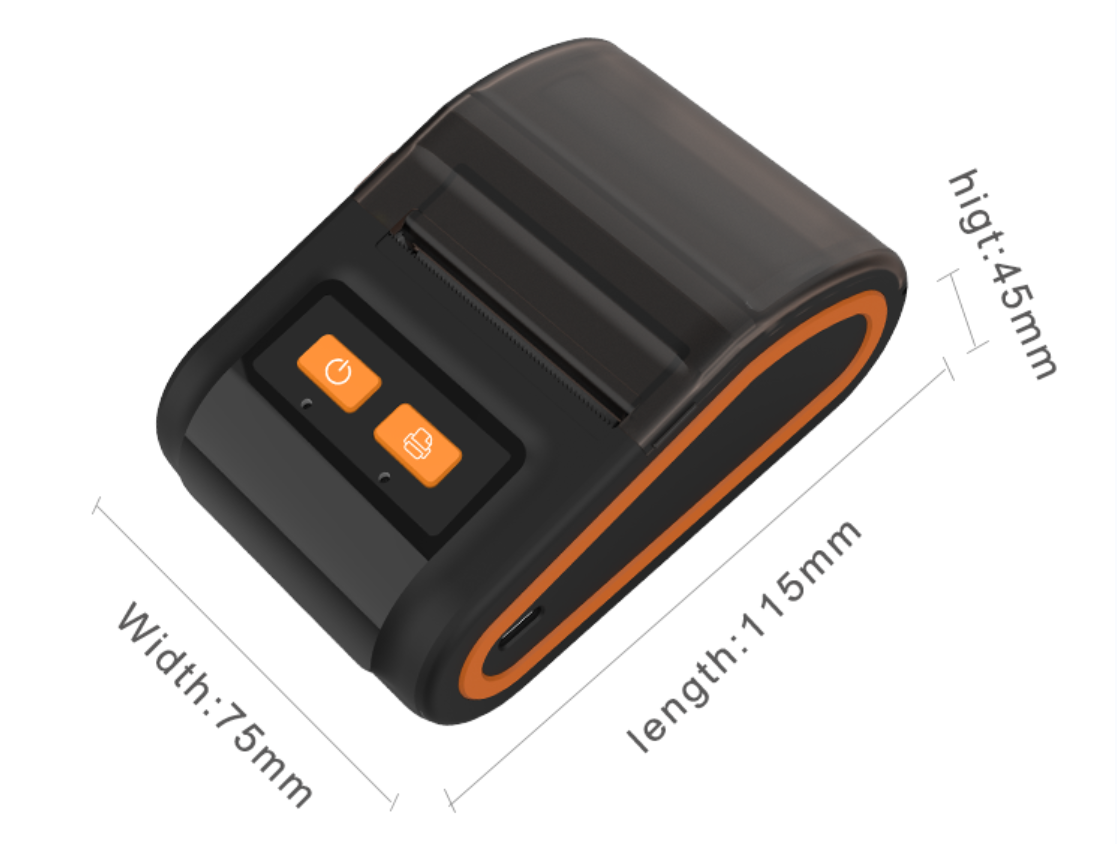
The 58mm thermal receipt printer is suitable for businesses that need a compact machine and relatively narrow receipts. Its small footprint helps save counter space and makes it easier to carry between different working locations.
A typical 58mm receipt can include:
1.Store or restaurant name
2.Transaction number
3.Product or menu details
4.Quantity and price
5.Date and time
6.Payment information
7.Tax or order reference
8.Customer-service information
9.QR code or supported barcode
Since the effective printing width of the displayed model is 48mm, receipt templates should be designed according to this printable area.
POS Receipt Thermal Printer for Retail and Hospitality
This pos receipt thermal printer can support different transaction and order workflows when connected to compatible software and devices.
1.Retail Stores
Used as a thermal cash receipt printer, the machine can print product information, transaction amounts, payment records, dates and store information for compact checkout counters.
2.Restaurants and Cafés
The printer can produce customer receipts, order summaries and payment information when connected to compatible restaurant or ordering software.
3.Bakeries and Pizza Shops
Its compact structure is suitable for small counters where space is limited but receipt and order printing are required throughout the day.
4.Takeaway and Delivery Services
The rechargeable battery and wireless connection support mobile receipt printing for drivers, delivery teams and mobile service personnel.
5.Temporary Retail Counters
The printer can be used for exhibitions, market stalls, promotional events and seasonal sales locations where permanent POS equipment may not be practical.
6.Chain and Commercial Projects
A pos thermal receipt printer can also be tested as part of a larger POS deployment. Buyers should confirm software compatibility, paper supply and replacement planning before installing printers across multiple locations.
Thermal Receipt Printer POS Integration
Successful thermal receipt printer POS integration depends on more than the printer’s operating-system compatibility.
The POS software must be able to identify the printer, send the correct ESC/POS commands, format receipt content and manage logos, barcodes or QR codes correctly.
Before mass deployment, test the printer with:
1.The actual POS application
2.The required phone, tablet or computer
3.The final receipt template
4.Required languages
5.Required barcode or QR-code format
6.The intended thermal paper roll
A test under actual operating conditions can identify layout, connection or character-support issues before bulk purchasing.
Barcode and QR-Code Printing
A barcode receipt thermal printer may be used to add product references, order codes, membership information, payment links or tracking details to receipts.
Barcode readability depends on several factors:
| Factor | Effect on Scanning |
| Printer resolution | Influences edge definition |
| Print density | Affects contrast |
| Thermal paper | Influences image uniformity |
| Barcode size | Determines whether modules remain clear |
| Software output | Controls code structure and positioning |
| Scanner | Influences final reading performance |
Although 203dpi can support many common receipt barcodes and QR codes, the final result should be tested with the customer’s actual code size and scanner.
Customers should provide the barcode type, required dimensions, POS software and sample receipt file before production testing.
Thermal Paper Compatibility
A printer for thermal paper must be matched with the correct paper width, roll diameter, core structure and thermal sensitivity.
| Paper Factor | Why It Matters |
| Paper width | Must fit the paper compartment |
| Roll diameter | Determines whether the roll can be loaded |
| Core size | Affects roll installation and available paper length |
| Paper weight | Influences roll length, stiffness and feeding |
| Thermal sensitivity | Affects required printing heat |
| Surface smoothness | Influences print-head contact |
| Coating uniformity | Helps maintain consistent image density |
| Image life | Should match the receipt-storage requirement |
For the displayed model, compatible 58mm direct thermal receipt paper should be selected. The maximum roll diameter and core requirement should be confirmed before ordering large quantities of paper.
Sailing can supply the thermal paper printer together with compatible receipt rolls, helping buyers test printing darkness, paper feeding and barcode readability as one system.
Common Thermal Receipt Printer Uses
Thermal receipt printer uses differ according to paper width, machine structure and connection method.
The portable 58mm model is mainly suitable for:
1.Retail transaction receipts
2.Restaurant payment receipts
3.Café and bakery order records
4.Takeaway order slips
5.Mobile payment records
6.Delivery collection receipts
7.Event and market-stall sales
8.Temporary checkout counters
This portable model should not be confused with a thermal ATM receipt printer. ATM and kiosk printers usually require an embedded structure, different interfaces, specialized mounting and additional paper-management functions.
Customers working on ATM, kiosk, parking or vending-machine projects should provide equipment drawings and interface requirements for separate evaluation.
How to Choose a Thermal Printer for Receipts?
A thermal printer for receipts should be selected according to the complete business workflow rather than only the machine price.
1.Paper Width
Choose 58mm for compact receipt layouts, 80mm for wider commercial receipts or A4 for full-page documents.
2.Printing Volume
Estimate the number of receipts printed each day and the average receipt length. High-volume counters may require a larger desktop machine.
3.Working Method
Determine whether the printer will remain at a fixed checkout counter or be carried by employees.
4.Device Compatibility
Confirm the operating system, POS application, Bluetooth protocol, driver and ESC/POS command requirements.
5.Receipt Content
Check whether the receipt includes only text or also requires logos, multiple languages, barcodes and QR codes.
6.Consumable Supply
Confirm that compatible thermal paper rolls can be supplied continuously in the required size and packaging.
Thermal Printer for Sale: Information Required Before Quotation
When comparing a thermal printer for sale, buyers should provide detailed application information so that the supplier can recommend a suitable configuration.
Please confirm:
1.Required printer format: 58mm, 80mm or A4
2.Mobile or fixed-counter operation
3.Android, iOS or Windows system
4.Bluetooth, Type-C, USB, Wi-Fi or other interface
5.Daily receipt quantity
6.Average receipt length
7.Barcode or QR-code requirements
8.Required printing languages
9.Logo and packaging customization
10.Plug standard and destination country
11.Required quantity
12.Expected delivery schedule
Clear purchasing information helps avoid selecting a printer that is too small, too large or incompatible with the intended software.
Thermal Receipt Printer Machine Maintenance
Regular maintenance helps the thermal receipt printer machine maintain clear printing and stable paper feeding.
Before cleaning, disconnect the power and allow the print head to cool. Remove dust and paper particles from the paper compartment and use suitable cleaning materials for the print head and roller.
Recommended operating practices include:
1.Use clean and correctly sized thermal paper
2.Avoid damaged or deformed paper rolls
3.Keep the paper compartment free from dust
4.Do not pull the paper forcefully during printing
5.Use the specified charging input
6.Keep the printer away from excessive heat and moisture
7.Test print density before increasing heat settings
8.Store the printer securely during transportation
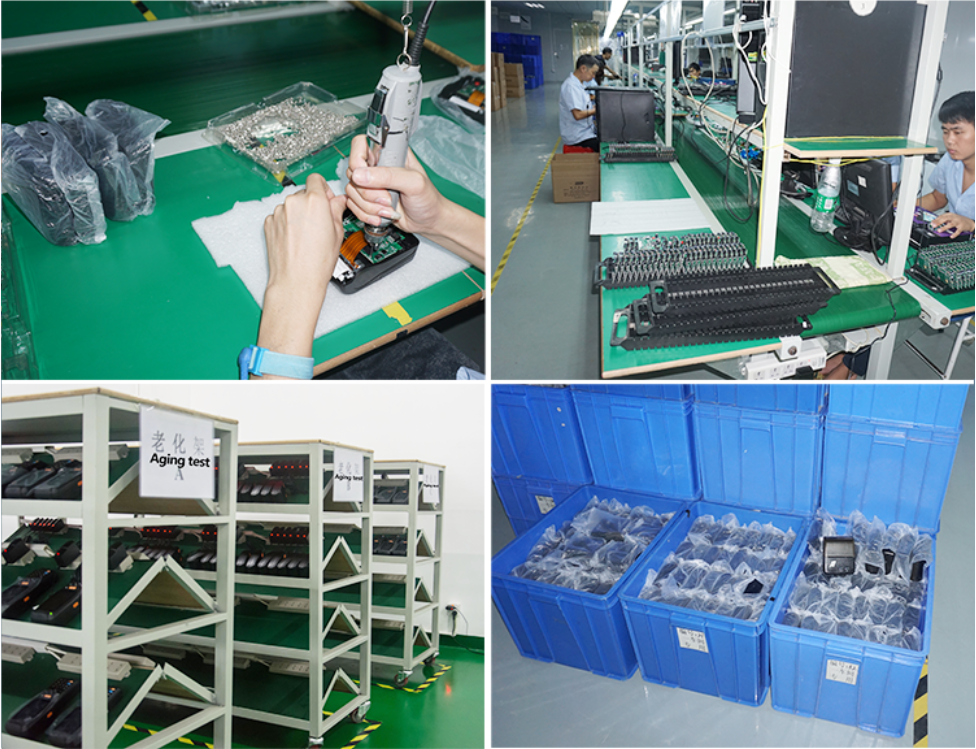
Quality Inspection Before Shipment
Printer quality should be checked through functional testing as well as appearance inspection.
| Inspection Area | Inspection Content |
| Appearance | Housing, buttons, paper cover and surface condition |
| Startup | Power-on and basic operating response |
| Charging | Charging interface and battery status |
| Printing | Text clarity, line consistency and density |
| Paper feeding | Straight and stable paper movement |
| Bluetooth | Pairing and communication testing |
| Instructions | ESC/POS command testing |
| Indicators | LED and buzzer response |
| Languages | Required character printing |
| Barcode | Barcode or QR-code sample test when required |
| Packaging | Accessories, labels, instructions and carton protection |
Project buyers can provide an actual receipt file, software information or inspection checklist before production.
OEM and ODM Customization
The printer accepts OEM and ODM requirements. Customization should be confirmed according to the selected model, order quantity and project requirements.
Available customization may include:
1.Printer logo
2.Housing color
3.Product label
4.User manual
5.Retail box
6.Outer carton
7.Barcode label
8.Accessory combination
9.Thermal paper packaging
10.Printer-and-paper combination set
11.Private-label packaging
For customized projects, buyers should provide logo files, packaging requirements, language information, barcode details and destination-market requirements.
Packaging and Accessories
The final accessory list should be confirmed according to the selected printer model and quotation.
Packaging options may include:
1.Neutral individual box
2.Custom-printed retail box
3.Product barcode
4.Private-label packaging
5.Multilingual user instructions
6.Custom outer carton
7.Shipping marks
8.Printer and receipt paper combination packs
9.Carton or pallet protection for export orders
The charging cable, adapter, paper roll and other accessories should be confirmed in writing before placing the order.
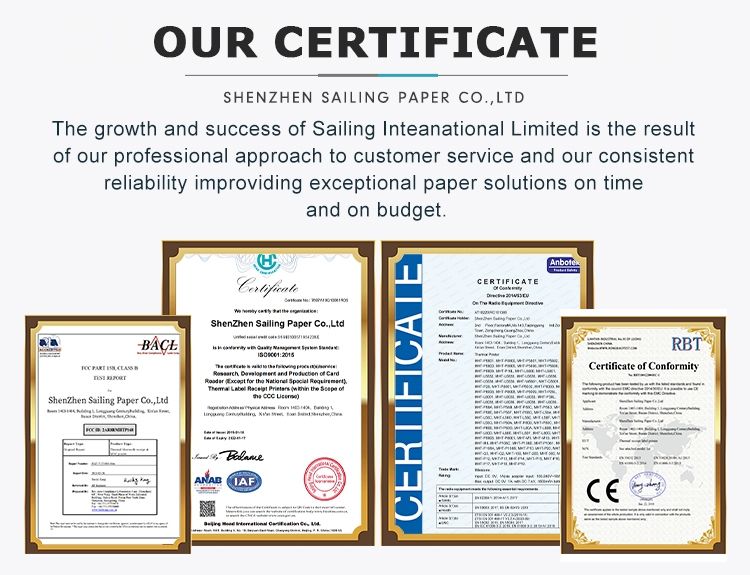
Certificate and Compliance
Certificate and compliance requirements may differ according to the printer model, battery configuration, charger and destination market.
Buyers should provide the required document list during the inquiry stage. This allows the supplier to confirm whether the selected printer configuration is suitable for the intended country, retailer or commercial project.
Exhibition and Product Demonstration
Customers can evaluate printer appearance, connectivity, printing quality and thermal paper compatibility through product demonstrations, sample printing or remote communication.
For project orders, a demonstration can include:
1.Bluetooth connection
2.Receipt printing
3.Logo printing
4.Multi-language content
5.Barcode or QR-code printing
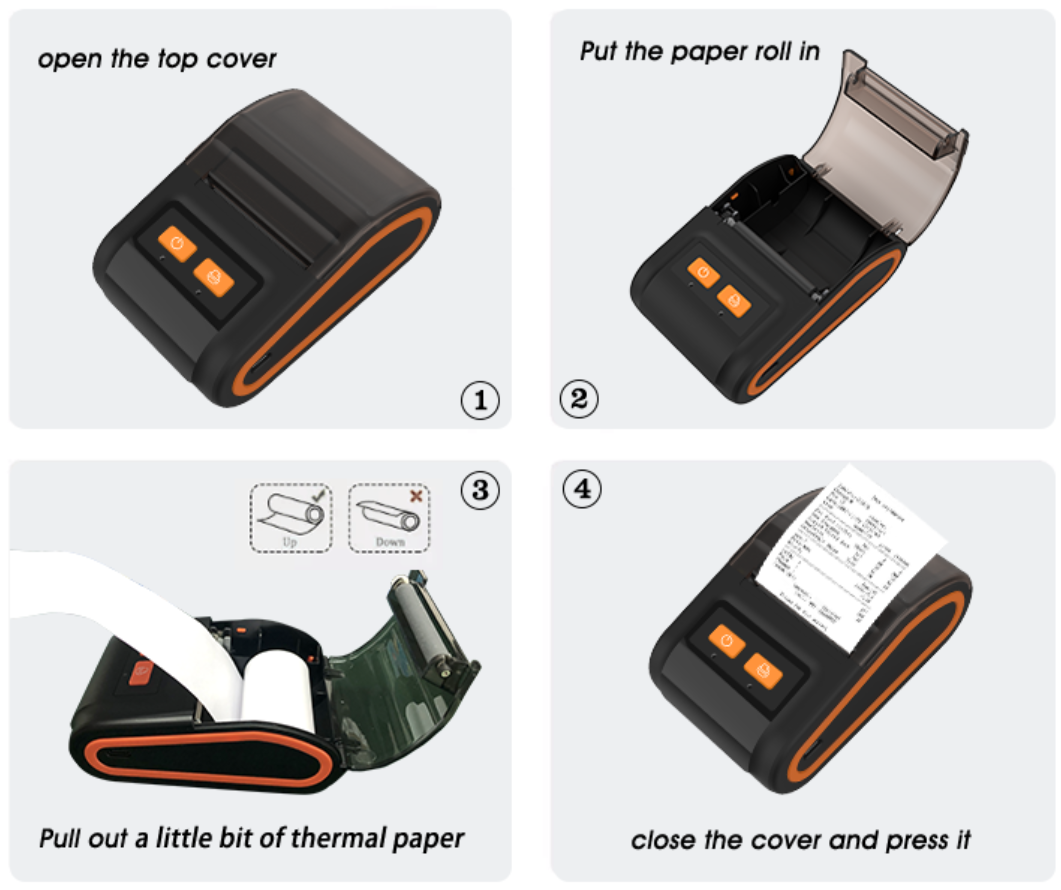
6.Paper loading
7.Battery operation
8.Customized packaging presentation
Why Choose Sailing?
When comparing thermal receipt printer manufacturers, buyers should consider not only the printer but also the consumable supply, software compatibility and project support behind it.
Sailing can support customers with:
1.58mm, 80mm and A4 printer options
2.Compatible thermal receipt paper
3.Printer-and-paper testing
4.OEM and ODM customization
5.Logo and packaging services
6.Application-based model selection
7.Sample printing and compatibility confirmation
8.Export packaging support
9.B2B project communication
Combining the printer and thermal paper in one supply solution helps distributors, POS providers and commercial buyers reduce compatibility risks and organize future consumable purchasing more efficiently.
FAQ:
1. What is thermal receipt printer technology?
Buyers searching “what is thermal receipt printer” are usually referring to a printer that forms text and images by applying heat to coated thermal paper. It normally operates without ink cartridges, toner or thermal-transfer ribbons.
2. Is this product a 58mm or 80mm printer?
The detailed specifications currently shown on the page mainly correspond to the portable 58mm model, which has a 48mm print width. The 80mm and A4 printers require separate technical specifications.
3. Can the printer connect to a mobile phone?
The displayed model supports Bluetooth and lists compatibility with Android, iOS and Windows. Actual operation depends on the software, Bluetooth protocol, driver and ESC/POS compatibility.
4. Does the printer require ink or ribbon?
No ink or thermal-transfer ribbon is normally required. It uses direct thermal receipt paper.
5. What paper should be used?
The displayed model should use compatible 58mm direct thermal receipt paper. The roll diameter, core size and paper weight should be confirmed according to the final printer configuration.
6. Is it suitable for restaurants and retail stores?
Yes. The existing page lists restaurants, retail, pizza shops, bakeries and cafés as intended applications.
Request a Thermal Paper Printer Quotation
Looking for a compact thermal paper printer, a mobile receipt-printing solution or a combined printer-and-paper supply plan?
Send us your required printer size, operating system, connection method, receipt volume, language requirements, destination market, customization needs and order quantity.
Sailing will help you evaluate the appropriate printer format, thermal paper specification and OEM packaging solution.
Contact Sailing today to request specifications, sample printing, compatibility testing and a quotation.
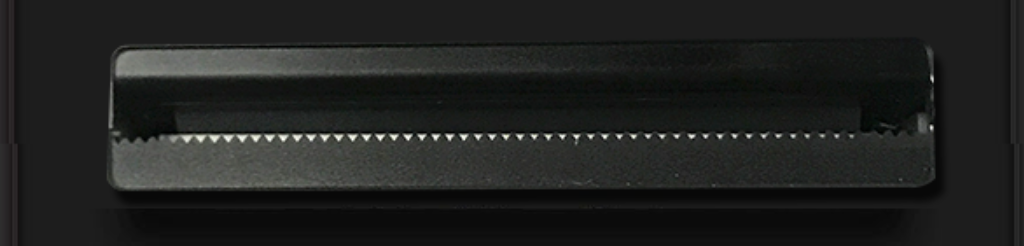

Thermal direct printing ,no ink or ribbon

1200mAh LITHIUM BATTERYlt can prin continuously for 4 hours or 200 meters with one time charge
Products categories
-
China Self Adhesive Label Die Cutting Machine A...
-
Thermal label printer 4 inch single thermal shi...
-
Shrink Wrap Machine Supplier Industrial Automat...
-
Thermal Printer Manufacturer Best Cheap Portabl...
-
Portable thermal printer 2 in 1 label pos recei...
-
Desktop Thermal printer 80mm receipt bill usb f...