


Mini portable a4 printer wireless Bluetooth handheld for mobile
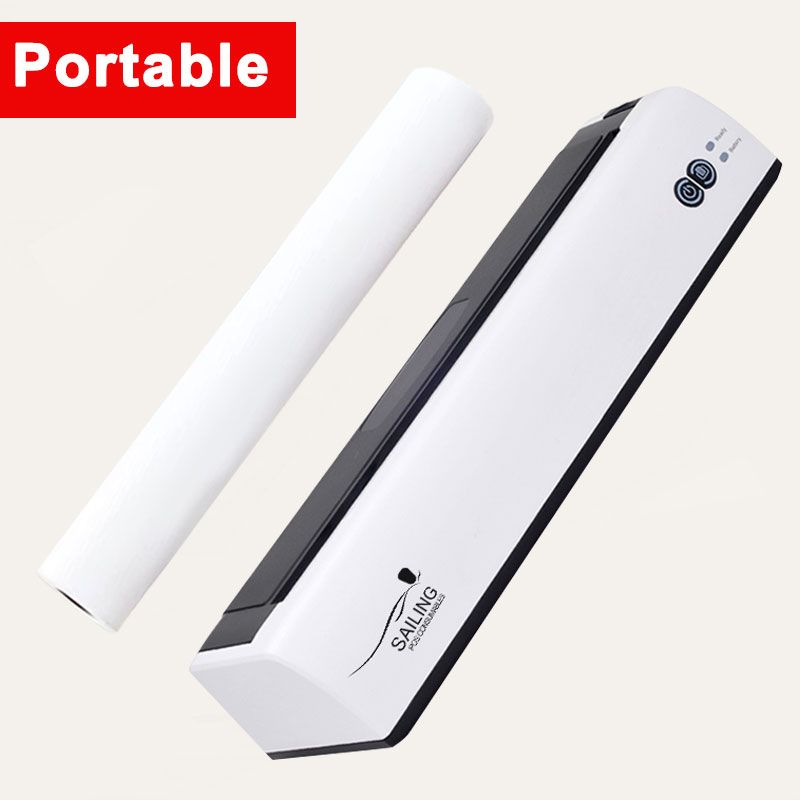

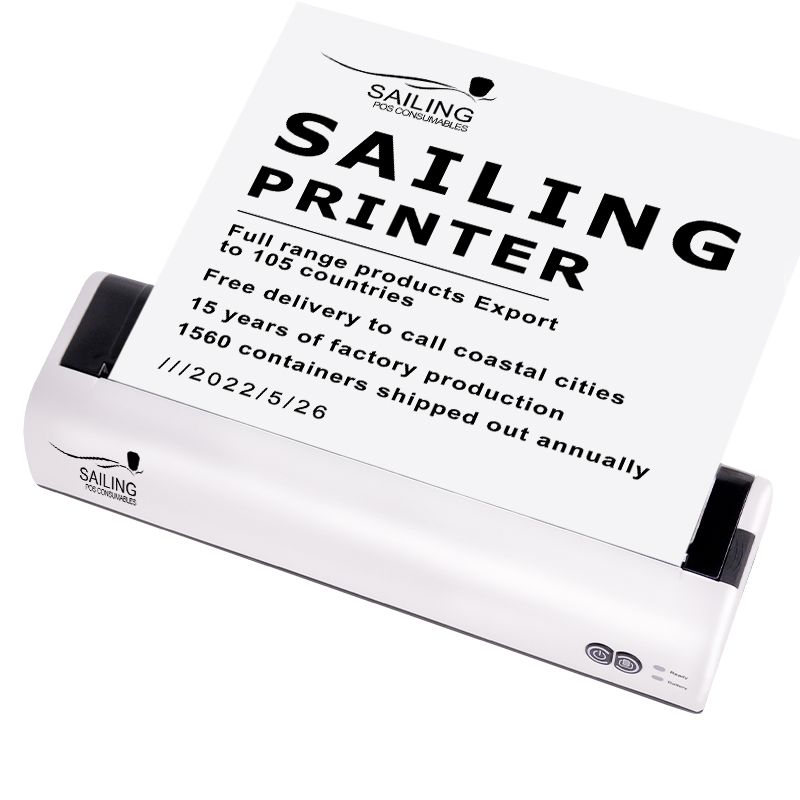
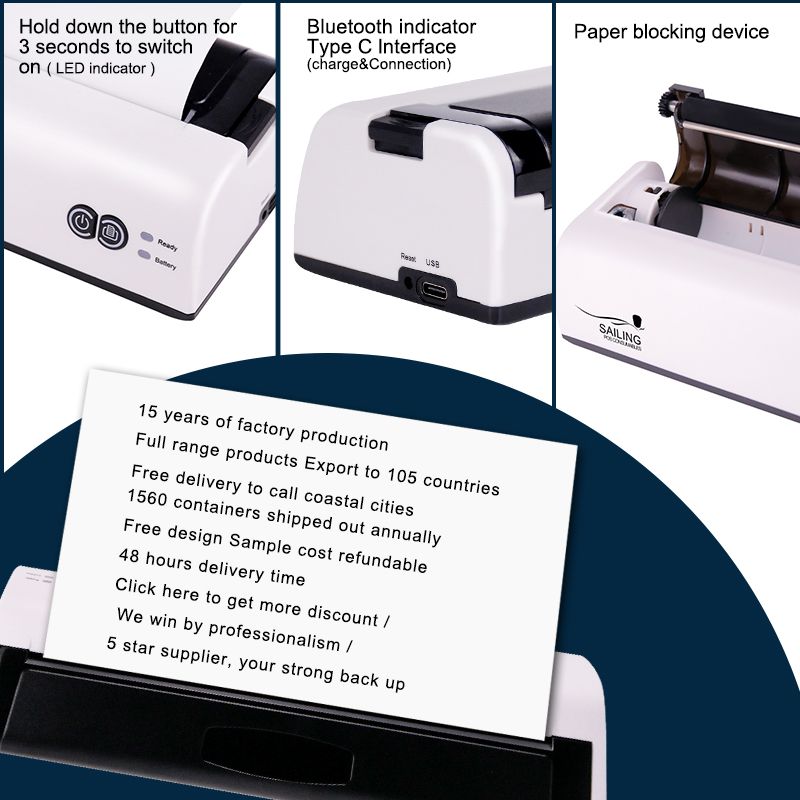
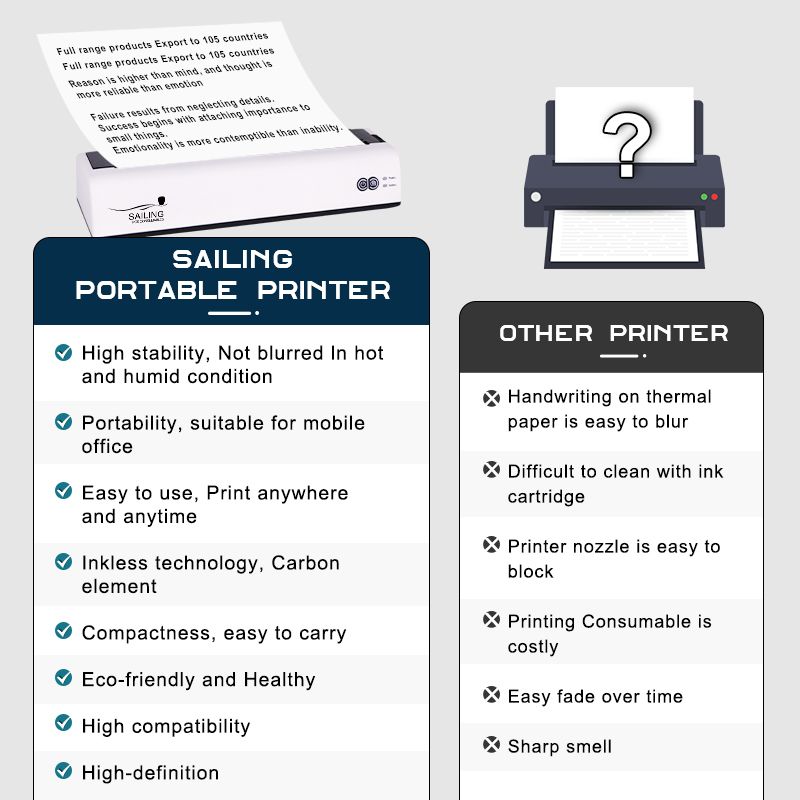
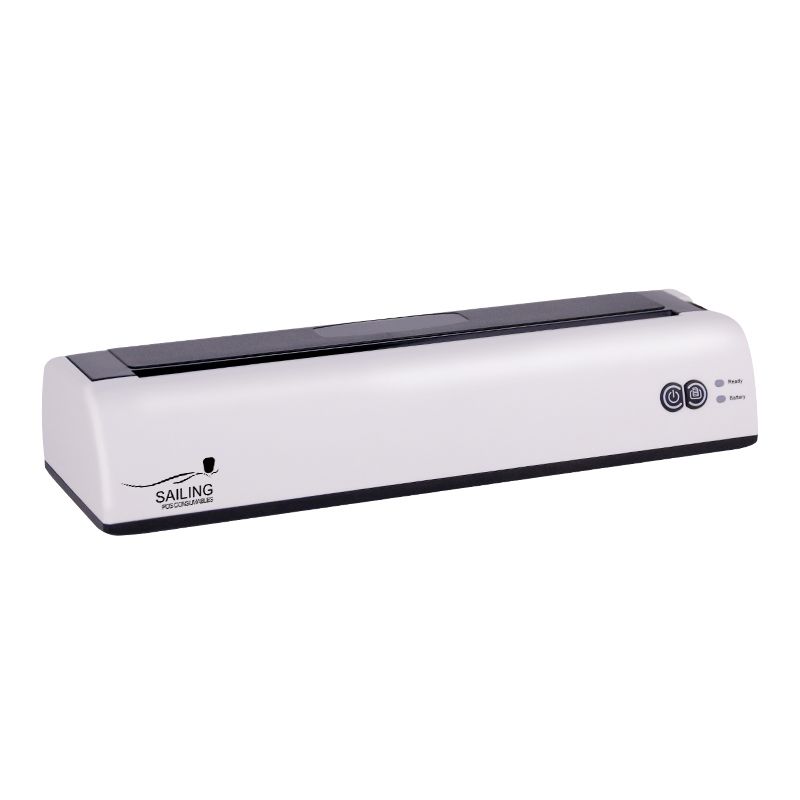
Portable A4 Printer Overview:
The mini portable A4 printer combines mobile connectivity, inkless printing and a compact structure in one document-printing device. It supports black-and-white document preparation at customer locations, service sites, exhibitions and temporary workspaces.
This A4 thermal printer uses direct thermal technology to form text and graphics on compatible heat-sensitive paper. There are no liquid ink cartridges, toner containers or thermal transfer ribbons to replace, simplifying consumable preparation for mobile work.
Typical documents include quotations, invoices, product lists, reports, work orders, delivery records, checklists, study notes and temporary forms. A4-format documents and Letter-format layouts can be prepared using compatible paper, provided the content stays within the 198mm effective printing width.
Sailing Paper supports B2B customers with product specification confirmation, compatible thermal paper enquiries, sample evaluation and bulk purchasing coordination.
Portable A4 Printer Technical Specifications:
| Item | Specification |
| Product | Portable A4 Printer |
| Printing Method | Direct Thermal |
| Output | Black and White |
| Resolution | 300dpi |
| Print Speed | 15mm/s |
| Effective Printing Width | 198mm |
| Printing Density | Adjustable, Levels 1–3 |
| Printing Protocol | Bitmap Printing |
| Paper Width | 210mm / 216mm |
| Paper Thickness | 60–90μm |
| Compatible Consumable | Thermal Paper Meeting the Printer’s Media Requirements |
| Wireless Connection | Bluetooth Through Supported Software |
| Adapter Input | AC 100–240V, 50/60Hz |
| Adapter Output | DC 5V, 2A |
Main Product Advantages:
1.Compact Format for Mobile Work
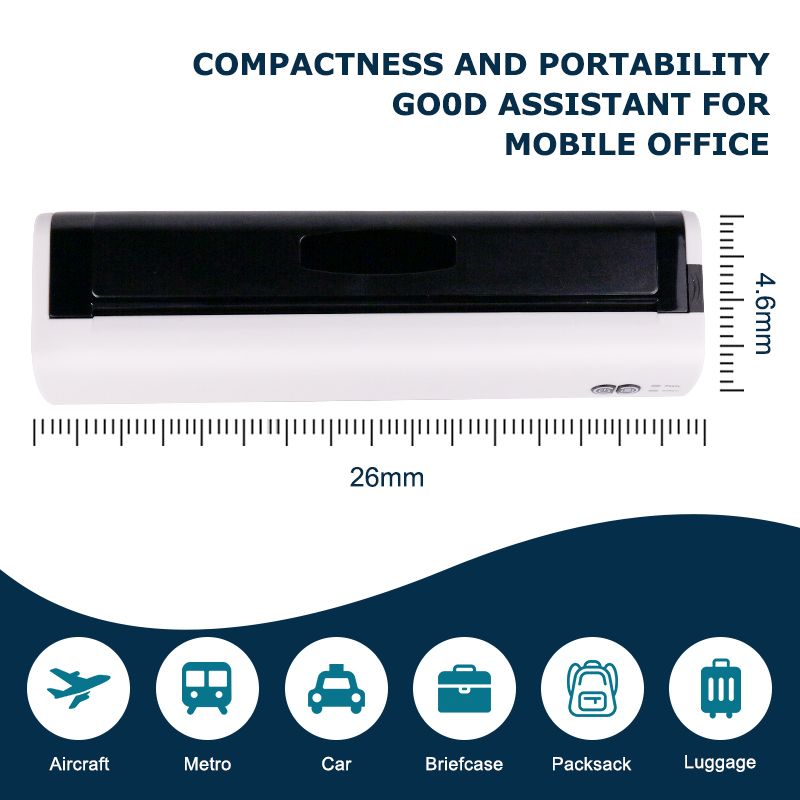
This portable A4 thermal printer can be moved between offices, customer locations, classrooms and temporary work areas. It provides an option for teams that need documents on site without establishing a permanent desktop printing station.
For travel printer applications, consider the complete setup: the printer, compatible paper, approved power arrangement and connected device. During use, place the equipment on a stable surface with sufficient paper clearance.
2.300dpi Black-and-White Printing
The A4 paper printer provides 300dpi resolution for document text, tables and graphics. Clear source files, suitable font sizes and compatible thermal paper help preserve readable details.
Print quality should be assessed using actual documents rather than resolution alone. Small text, fine table lines and QR codes also depend on paper response and printing density.
4.Inkless Consumable Management
Direct thermal printing requires compatible thermal paper instead of ink cartridges, toner or ribbons. This avoids liquid-ink drying and cartridge leakage and reduces the types of consumables users need to carry.
Paper remains an essential part of the printing system. Its dimensions, coating, thickness and loading format must match the equipment.
5.Adjustable Printing Density
Three density levels allow users to adjust output according to the selected paper and document. Choose a setting that keeps text readable while preserving narrow spaces and fine lines.
Excessive darkness can thicken characters and barcode bars. Compare settings with the same representative file to identify the most suitable result.
Compact Structure for Mobile Work:
The narrow printer body helps reduce the space needed for document preparation. The portable format is useful for users moving between different work locations or operating without a permanent office.
Typical requirements include:
1.Printing during business travel
2.Preparing quotations during customer visits
3.Producing work orders at service locations
4.Printing temporary forms at exhibitions
5.Carrying equipment between classrooms
6.Supporting temporary offices
7.Reducing desktop equipment space
8.Preparing a backup document-printing workflow
Portability should be evaluated together with the supplied model’s dimensions, weight, power requirements and paper-loading method. For vehicle-based work, print while parked and keep the printer and paper securely supported.
Wireless Portable Printer A4 Connection & Document Workflow:
1.Bluetooth and Supported Software
For customers comparing wireless portable printer A4 options, Bluetooth connectivity should be evaluated together with the printing application and device operating system. Pairing establishes communication, but software must also accept the file and transmit a suitable print task.
Confirm the supported application, required permissions and accepted file formats before deployment.
2.File Import and Preview
Review paper size, orientation, font rendering, graphics and page count before printing. Where PDF import is supported, exporting a document to PDF can help preserve its intended layout.
For quotations and reports, inspect wide tables, company details and footer information in the preview. This helps identify clipping and unexpected scaling before paper is consumed.
3.Reconnection During Daily Use
Include application closure, phone sleep and reconnection in sample evaluation. Teams working across several locations need a repeatable setup process, rather than a one-time pairing demonstration.
Record the approved software version, device system and connection steps so employees can follow the same procedure.
Inkless Printing Technology:
1.Direct Thermal Image Formation
The printhead applies heat to the coated side of thermal paper. The coating reacts to create black-and-white text, graphics or codes directly on the surface.
This printing method does not require ink cartridges, toner or a separate ribbon. Ordinary uncoated copy paper is unsuitable because it lacks the heat-sensitive coating needed to form an image.
2.Direct Thermal Rather Than Thermal Transfer
This model supports direct thermal printing only. Thermal transfer printing uses a different consumable arrangement and is not supported by this printer.
Do not purchase replacement ribbons for this model. Instead, confirm compatible thermal paper dimensions, thickness and loading format.
3.Thermal Image Protection
Printed documents should be protected from excessive heat, prolonged sunlight and substances that can affect the thermal coating. Image retention depends on the selected paper and storage conditions, so requirements for long-term records should be reviewed separately.
Thermal Printer A4 Paper & Consumable Compatibility:
1.Paper Dimensions
The specified paper widths are 210mm and 216mm, with a thickness range of 60–90μm. These requirements should be checked alongside the printer’s loading structure.
Paper-width support does not automatically establish compatibility with every sheet, roll or folded-paper format. Confirm the intended construction before ordering replacement stock.
2.Coating and Thermal Sensitivity
A consistent coating and suitable thermal response help produce even text and dark areas. Different paper grades may require different density settings, even when their dimensions are the same.
Test proposed paper using representative text, tables, graphics and codes before approving a bulk order.
3.Flatness and Storage Condition
Damp, wrinkled, curled or damaged paper can affect contact with the printhead and movement through the paper path. Keep unused stock protected and load the heat-sensitive side according to the equipment instructions.
4.Printer Paper A4 Purchasing Requirements
When ordering printer paper A4 supplies for this model, specify compatible thermal paper rather than general-purpose office paper. Include width, thickness, loading format and packing quantity in the purchase requirements.
Keep an approved paper sample and specification as references for future replenishment.
Portable A4 Printer Layout & Print Margins:
1.198mm Effective Printing Area
The printer supports paper wider than its 198mm effective printing area. Therefore, supported paper width should not be interpreted as borderless printing capability.
Keep addresses, reference numbers, table borders, codes and signature fields within the printable area.
2.Forms and Wide Tables
Adjust column widths and page margins before reducing an entire document. Automatic scaling can make text too small or reduce the space available for handwritten information.
Test a page containing the widest table, smallest text and footer. Inspect the physical output rather than relying only on the screen preview.
3.Page Breaks and Document Templates
For multi-page documents, check page breaks, repeated headers and table continuity. Instructions and signature sections should remain understandable after the file is divided into pages.
Once a layout is approved, retain the template for recurring jobs to reduce repeated adjustments.
4.Barcode and QR Code Layout
Preserve the clear space around codes and print them at their intended size. Verify the output with the scanning device used in the actual workflow.
A low-resolution source image cannot recover missing detail simply through higher printer resolution. If codes are difficult to read, review their size, source quality, density and surrounding layout.
Portable Printer A4 Speed & Workload Planning:
1.Understanding the 15mm/s Specification
For buyers comparing portable printer A4 solutions, the specified 15mm/s describes media movement during printing. It is not a completed-pages-per-minute rating.
Complete task time also includes file processing, Bluetooth transmission, paper preparation and handling. These factors should be included when evaluating working efficiency.
2.Actual Document Timing
Use typical quotations, inspection sheets or delivery records during sample evaluation. Measure the time from sending the job to receiving the complete document.
If the workflow requires several pages, test the complete sequence rather than multiplying the result from one page.
3.Repeated Printing Demand
During representative repeated jobs, check feeding consistency, output quality and any pauses. The speed specification does not establish a continuous-duty rating.
Confirm the supplied model’s operating limits before planning sustained, high-volume printing or replacing a larger office printer.
Portable A4 Printer Power Requirements & Mobile Setup:
1.Adapter and Cable Matching
The specified adapter input is AC 100–240V, 50/60Hz, with an output of DC 5V, 2A. Use the power arrangement approved for the delivered equipment.
A connector that fits physically does not establish electrical compatibility with another adapter or power source.
2.Battery and Charging Requirements
For projects requiring battery operation, confirm the exact configuration and corresponding documentation. Battery capacity, charge time, pages per charge, power-bank compatibility and printing while charging should be verified individually.
These functions should not be inferred from the adapter rating or portable product description.
3.Temporary Workspace Preparation
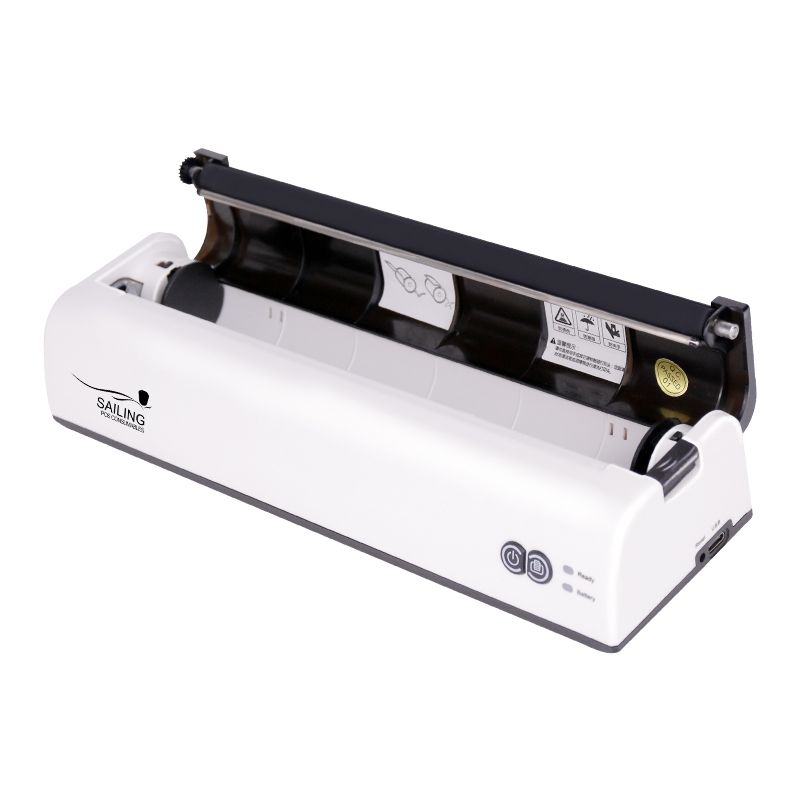
Keep the paper entry and exit areas clear of cables, bags and other objects. Support the paper as it exits so it does not catch or fold against nearby surfaces.
Protect the printer and unused thermal paper from excessive heat, moisture and crushing during transport.
Main Application Scenarios:
1.Business Travel
Prepare quotations, reports and travel-related working documents away from the office. Check necessary layouts in advance and carry suitable thermal paper.
For contracts or records requiring extended retention, confirm paper performance and keep the digital original.
2.Mobile Sales
Print order confirmations, invoices, product lists and temporary agreements during customer visits. Test the actual sales template, including item descriptions, totals, company information and signature areas.
3.Field Service
Produce inspection sheets, work orders, maintenance reports and customer confirmation documents at the service location. Ensure instructions, equipment references and handwriting spaces remain usable after printing.
4.Logistics and Delivery
Prepare delivery records, transfer forms, routing documents and receiving confirmations. Where codes are included, verify readability after representative handling.
Documents exposed to moisture or requiring long retention need a suitable paper specification.
5.Education and Study
Print notes, exercises, revision materials and temporary classroom documents. Review color-dependent charts in black and white first, since different colors may produce similar gray tones.
6.Exhibitions and Events
Prepare visitor forms, order documents, schedules and meeting notes at the booth. Confirm the application, connection, paper supply and power arrangement before the event.
7.Small Office and Home Office
Support occasional black-and-white printing without dedicating space to a large desktop printer. Evaluate normal document volume and the complete workflow before selecting equipment for repeated daily tasks.
8.Healthcare Administration
Administrative teams may evaluate the printer for appointment records, internal forms and temporary documents, subject to applicable privacy and organizational requirements.
Paper retention, handling and disposal should suit the information being printed.
9.Emergency and Backup Printing
Prepare a tested backup workflow for situations where the main printer is unavailable. Confirm the required files, software, paper and power setup before the equipment is needed.
10.Print Quality Testing & Inspection
For B2B evaluation, use intended devices, representative documents and compatible thermal paper.
| Test Area | Inspection Focus |
| Startup | Power-on response, controls and available indicators |
| Bluetooth Workflow | Connection, file import, printing and reconnection |
| Paper Feeding | Straight loading and consistent movement |
| Consecutive Printing | Clarity and feeding across representative tasks |
| Text and Graphics | Small characters, fine lines, images and dark areas |
| Document Layout | Margins, scaling, orientation and page breaks |
| Codes | Readability using the intended scanning equipment |
| Power Arrangement | Approved adapter, cable and operating setup |
| Packaging | Protection of the printer and supplied accessories |
Where USB, Wi-Fi, rechargeable batteries or additional sensors are included in a confirmed configuration, add the relevant functions to the agreed inspection plan.
Record the paper specification, application version, device system, file and density setting. This helps distinguish equipment issues from software, consumable or layout problems.
Maintenance and Storage Guide:
1.Clean the Printhead
Follow the manufacturer’s approved cleaning method. Avoid sharp tools or unsuitable cleaning products that could damage the printing surface.
2.Keep the Paper Path Clear
Remove dust and thermal paper residue according to the equipment instructions. Stop printing before addressing a jam and follow the specified clearing procedure.
3.Use Compatible Consumables
Use thermal paper within the confirmed specifications. Incorrect paper may reduce clarity or affect feeding. Replace damp, wrinkled or damaged stock rather than adjusting settings to compensate for it.
4.Follow Power and Charging Instructions
Use the approved power source. Where a rechargeable battery is supplied, follow its model-specific charging and storage requirements.
5.Protect Equipment During Transport
Use a suitable compartment to reduce impact and pressure. Keep connectors and the paper path free from debris, and protect the printer from moisture and excessive heat.
6.Protect Thermal Paper and Documents
Store unused paper in suitable packaging away from prolonged sunlight and chemical contamination. Printed image life depends on paper grade and storage conditions.
For long-term records, confirm documented image-retention requirements and preserve digital originals.
A4 Thermal Printer Troubleshooting:
| Issue | Possible Cause | Recommended Check |
| Paper feeds but output is blank | Incorrect paper or thermal-side orientation | Confirm thermal paper and reload correctly |
| Text is too light | Paper response, density or contamination | Check paper, adjust density gradually and inspect the printhead |
| Vertical white lines | Printhead contamination or possible damage | Follow the approved cleaning procedure; request support if unresolved |
| Content is cropped | Incorrect scaling or content outside the printable area | Review margins and keep content within 198mm |
| Paper feeds at an angle | Uneven loading, damaged paper or obstruction | Reload straight and clear the paper path |
| Bluetooth connects but printing does not start | Application, permissions or task status | Check supported software, permissions and the print queue |
| Fine details merge | Excessive density or unsuitable source layout | Adjust density and improve the original document |
For assistance, provide the printer model, device system, application version, paper details and a clear photo or short video.
Bulk Supply & Order Configuration:
1.Approved Product Specification
Record the exact model and approved configuration, including resolution, connection method, supported software and power requirements. Changes should be agreed before shipment so the delivered equipment matches the evaluated sample.
2.Matching Thermal Paper Supply
Coordinate compatible paper with the printer order. Confirm dimensions, thickness, loading format and packing quantity, and retain an approved sample for replenishment.
For teams using several locations, standardizing the paper specification can simplify purchasing and print-setting management.
3.Branding and Packaging
Discuss available logo, packaging, manual and accessory options with Sailing Paper. Confirm artwork versions, language and packing requirements in the order documentation.
Hardware changes must be confirmed for the exact model rather than assumed to be standard options.
4.Destination-Market Preparation
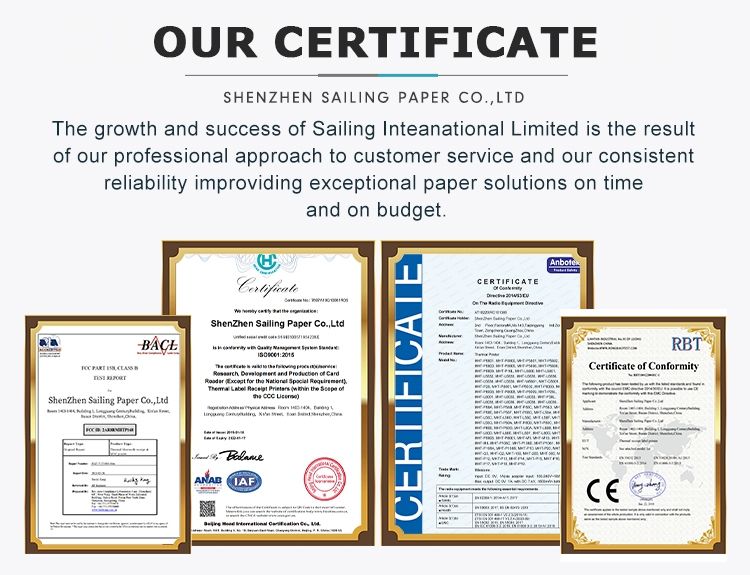
Confirm plug format, instructions and required product documents before shipment. Any certification claim should correspond to the supplied model and supporting records.
Agree on inspection requirements and after-sales terms before confirming the order.
Why Choose Sailing Paper?
1.20+ Years of Industry Experience
Sailing Paper has 20+ years of experience in thermal paper and related consumable supply, helping customers consider paper compatibility and replenishment alongside printer purchasing.
2.Printer and Consumable Coordination
Discuss the portable A4 printer and suitable thermal paper through one purchasing conversation. Coordinating both can help reduce mismatched paper orders and simplify follow-up enquiries.
3.Sample Evaluation
Customers can discuss testing with their actual documents, devices and intended paper before bulk purchasing. This helps identify practical layout, connection and printing requirements.
4.B2B Purchasing Support
We support distributors, office-supply businesses and project buyers with specification confirmation, branding enquiries, packaging communication and shipment coordination.
Available arrangements are confirmed according to the supplied model and actual order.
FAQ:
1. Is this portable A4 printer 203dpi or 300dpi?
This model has a specified resolution of 300dpi. Clear small text, table lines and QR codes also depend on source-file quality, thermal paper, print size and density settings. Evaluate the actual document rather than resolution alone.
2. Can it use ordinary A4 paper or thermal transfer ribbons?
No. This A4 thermal printer uses direct thermal technology and requires compatible thermal paper. Ordinary uncoated copy paper and thermal transfer ribbons are unsuitable. Replacement paper must also match the required dimensions and loading format.
3. Why are parts of my A4 document cropped?
The effective printing width is 198mm, which is narrower than the supported paper widths. Check paper size, margins and scaling in the software. Adjust wide tables and inspect the complete printed document, including footers and signature sections.
4. Can it connect to Android phones, iPhones or computers?
Compatibility depends on supported software, operating-system versions and the interfaces available for the supplied configuration. Confirm the intended devices before ordering. For mobile printing, test file import, preview, output and reconnection rather than Bluetooth pairing alone.
5. Is it suitable for continuous office printing?
Suitability depends on the working volume and model-specific operating limits. The 15mm/s specification does not establish continuous-duty performance. Test representative multi-page jobs and confirm sustained workload requirements before replacing a high-volume office printer.
6. Can printed documents be stored for years?
Retention depends on the thermal paper grade and storage conditions. Confirm documented image-life requirements and keep digital originals. If the required retention cannot be established, evaluate another printing solution for the archival copy.
Request a Portable A4 Printing Solution:
Choosing a portable A4 printer involves more than comparing product size and price. Paper compatibility, effective printing width, software, device requirements and the expected workload should be evaluated together.
Send Sailing Paper your required quantity, destination country, device system, connection requirements, sample documents, thermal paper needs and branding requirements.
Contact Sailing Paper for specification confirmation, sample evaluation and a customized bulk quotation.
| Product number | Portable A4 Thermal Printer |
| The resolution | 203 DPI |
| Way of print | Direct thermal printing |
| Print width | 216 mm |
| Print the length | 762 mm |
| Medium type | Continuous thermal paper |
| Maximum reel diameter | 30mm |
| Medium width | 150.6 to 220 mm |
| The thickness of the medium | 60-150 microns |
| Stripping mode | Manual to tear off |
| Deviation of the printed output | Vertical :≤1 mm. Horizontal :≤1 mm |
| CZhassis | ABS+PC |
| The volume size | 260mm (D) x 78mm (W) x 50.5mm (H) |
| The weight of the | 0.75 kg |
| Central processing unit | 32-bit processor |
| memory | 8MB FLASH memory8MB SDRAM |
| Communication interface | USB2.0 (standard), bluetooth (standard) /WIFI (optional) |
| The power supply specifications | Adapter: Input :AC 100-240V, 0.5A 50-60Hz Output  C 5V/2A Battery :11.1V/1200mAh C 5V/2A Battery :11.1V/1200mAh |
| The user interface | Two physical buttons two 3-color indicators |
| The sensor | Paper detection sensor open cover sensor |
| Environmental conditions | Operating conditions: 5 ~ 40 ° ℃ (41 ~ 104 ° F), humidity (condensation) storage conditions: 25 ~ 85% to 40 ~ 60 ° ℃ (40 ~ 140 ° F) -, 10-90% humidity (condensation) |
| Safety certification | FCC ,CE , CB , CCC |
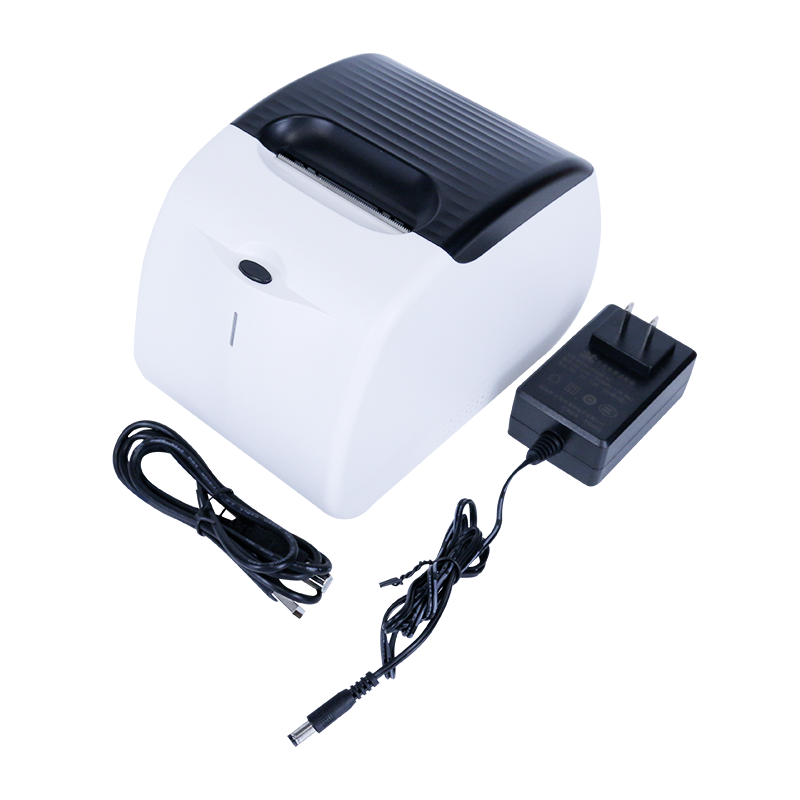
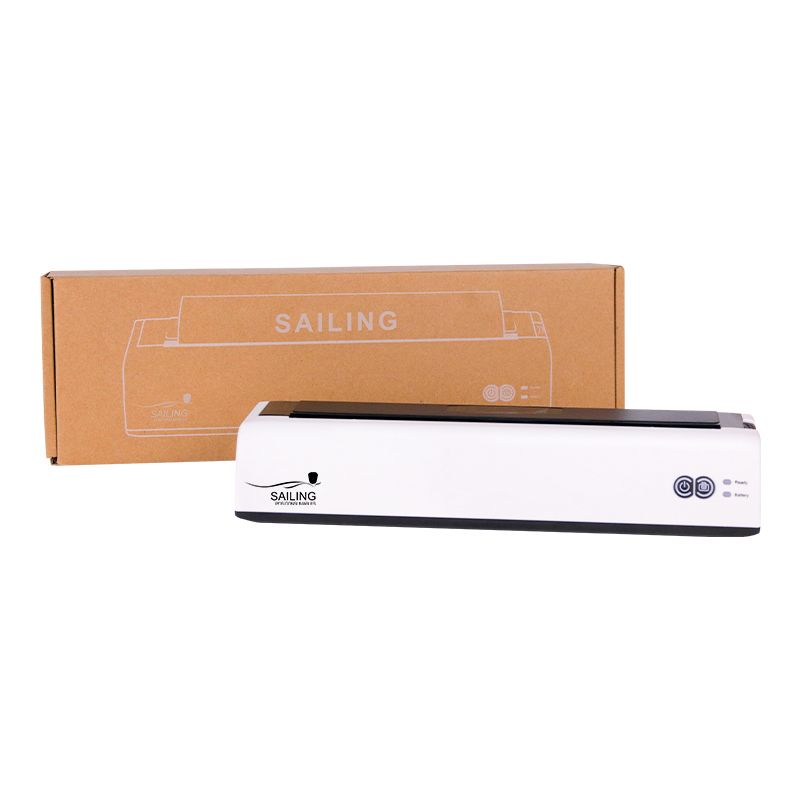
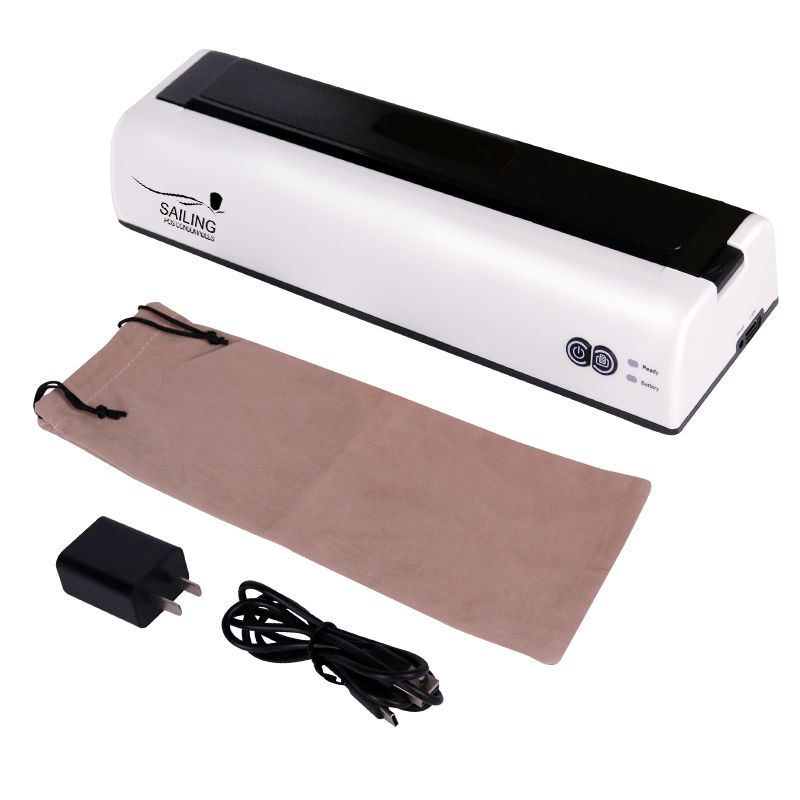
| Accessories | (1) Power adapter; (2) the USB cable |
| Reliability | Printer a year to print the first 30 km or a year to the main glue 30 km or a year to the main |
| Optional | WiFi interface |